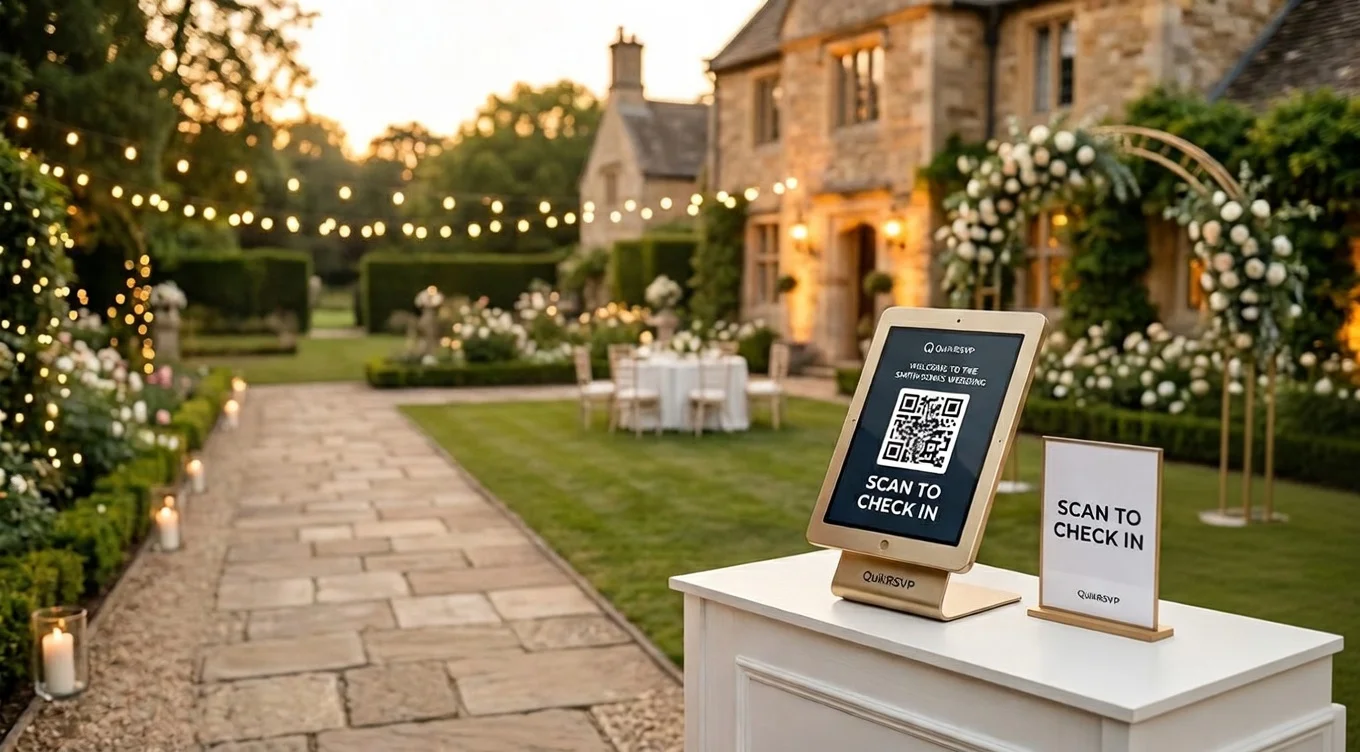
Quick answer: For the wedding itself, use QuikRSVP. Guests reply in one tap with no phone number or texted code, each household names every guest with their own meal choice, you control plus-ones, a QR code prints on your paper invitation, reminders to the guests who haven't answered go out by WhatsApp, SMS or email, and the full guest export feeds your seating chart. It's free for up to 25 replies (about 50 guests) and a one-time $45 per event for up to 150, with no subscription. For the casual events around the wedding, like the bachelorette or the welcome drinks, Partiful fits well.
This is not a hit piece. Partiful is a party app, and a wedding asks for more than a party does.
But a wedding is a different job. You are collecting a caterer's headcount, deciding who gets a plus-one, printing a card that has to work for guests who are eighty years old, and building a seating chart from whatever data comes back. Those are the places where the two tools split, and that is what this guide covers.
What We'll Compare
Reading is one thing, trying is another. The phone on the rightbelow is a live, working RSVP: tap the invite exactly like your guests would.
Partiful vs QuikRSVP: Side-by-Side
Everything in the Partiful column comes from Partiful's own site and help center as of September 2026. If Partiful changes something, tell us and we will update the table.
| Feature | Partiful | QuikRSVP |
|---|---|---|
| Price | Free, no ads, no paywalls | Free up to 25 replies (one per household); $45 one-time per form for 150; $95 Signature for 1,000 |
| What a guest does to RSVP | Taps a response, enters name and phone number, receives a code by text, enters the code | Opens the link, taps Yes or No, submits. No phone number, code or account |
| App required | No, works in a browser | No, works in a browser |
| "Maybe" answer | On by default; host can turn it off | Optional; one toggle turns it off for a firm yes or no |
| Plus-ones | Host sets 0 to 9 per RSVP for the whole event; can require +1 names | Host controls plus-ones; guests name each person in their party |
| Meal choice per guest | Via questionnaire: short answer or dropdown per RSVP | Meal choice per named guest, counted live on the dashboard |
| Custom questions | Short answer, dropdown, social handles | Text, dropdown, radio, checkbox, with show-if-attending logic |
| Printable QR code | Not a built-in feature; invites are sent by text, email or link | Generated for any form; print it on paper invitations |
| Event details before RSVP | City and state visible; full street address after RSVP | Whatever you put on the form is visible to anyone with the link; an invite-only guest list is available on Event Pro |
| Guest list visible to guests | Shown by default; can be hidden in Display + Privacy | Never shown to guests |
| Reminders to non-responders | Text reminders and host text blasts | WhatsApp, email and SMS reminders to whoever has not replied (every plan, 1 credit per guest) |
| Guest list export | CSV; names are often first names only | CSV with every named guest, meal and answer (Event Pro) |
| Seating chart | No | Yes (Signature) |
| Languages | English | Form translates into 70+ languages (one free, unlimited on Event Pro) |
| Built for | Casual parties, "Party Invite Maker" in the App Store | Weddings, formal events and any event that needs per-guest details |
How Guests Reply: The Phone-Number Wall
This is the single biggest difference, and it matters more at a wedding than anywhere else.
Partiful
Partiful's help center describes the flow plainly. A guest opens the event link, taps a response, and is asked for their name and phone number. Partiful texts a code to that number, and the guest enters the code to verify the RSVP. Only then do they see the full event details and the activity feed.
Partiful uses the number to let guests log back in, to send automatic text reminders and to let the host text everyone at once.
At a wedding the guest list looks different. Your great-aunt is replying from a landline household. Your parents' friends are wary of entering a phone number on a site they have never heard of. A guest abroad may not receive a US verification text at all. Every one of those people is now a phone call to you, or a silent non-response you chase in week three.
QuikRSVP
A QuikRSVP form is a link. The guest opens it, sees your invitation, taps Yes or No, fills in the questions you asked, and submits. There is no phone number wall, no code, no account and no app. It is the same flow whether they arrived by WhatsApp, by email, or by scanning a QR code off a printed card.
If you want a way to contact guests later, add phone or email as a question on the form.
Meals, Plus-Ones and Custom Questions
A wedding RSVP is really a data-collection form for your caterer, your planner and your seating chart. The question is whether the tool captures that data in a shape you can use.
Meal choice
Partiful has a guest questionnaire with short-answer and dropdown fields, and its wedding page suggests using it for dietary restrictions. That works for one person. It gets awkward when a guest is replying for a couple and two children who each want something different, because the questionnaire is attached to the RSVP, not to each person in the party.
On QuikRSVP each named guest in a party picks their own meal, and the dashboard totals chicken, fish and vegetarian live. Your caterer gets one number per dish, not a column of free text to interpret.
Plus-ones
Partiful lets the host set how many plus-ones an RSVP may bring, anywhere from zero to nine, and can require the names of those plus-ones. The setting applies to the whole event. That is a party model: everyone gets the same allowance.
Weddings rarely work that way. Your cousin gets a plus-one, your coworker does not, and the Johnsons are invited as a family of four. QuikRSVP lets you control plus-ones on the form and asks the responding guest to name every person they are bringing, so your list of attendees is a list of people, not a list of RSVPs with a number next to each.
"Maybe"
Partiful allows a Maybe answer by default, which is exactly right for a party. For a wedding it is a headache, and to be fair Partiful lets you turn it off. QuikRSVP offers Maybe as an option and switches it off with one toggle, so a guest tells you yes or no, and if they truly do not know yet, they can come back and change their answer later.
Custom questions
Both tools let you ask extra questions. Partiful offers short answer, dropdown and a field for social handles. QuikRSVP offers short and long answer, dropdown, single-choice and checkbox questions, with no limit on how many, and can show a question only to guests who are attending, so a declining guest never sees "song request" or "shuttle from the hotel?" Our custom RSVP form builder guide walks through every question type.
Paper Invitations and QR Codes
Partiful is a digital-first product. Its own site describes sharing by text, email, Instagram, WhatsApp and link, and that is how the vast majority of Partiful events are sent. There is no built-in QR code for print. You could put the event URL on a card, but the guest who types it in still hits the phone-number step.
Most US weddings still send a printed invitation, and the modern replacement for the mailed reply card is a QR code on that invitation. QuikRSVP generates a QR code for any form. You download it, hand it to your printer or your Etsy designer, and print it on the invitation or a small insert card. A guest scans it and replies in one tap. We wrote a step-by-step guide to this in Wedding RSVP Without a Website, and a separate guide to using the same QR codes for check-in on the day.
Under the QR code, print the short URL too. Not everyone scans, and a short link typed into a browser lands on the same form.
Exports and Seating
Partiful does let hosts export the guest list. From the Guest List you tap Export CSV and choose which RSVP statuses to include. Two caveats from Partiful's own help center: guest names are often first names only, because that is what people enter on a party app, and if you need full names you have to ask for them in the questionnaire. There is no seating tool, so the CSV goes into a spreadsheet and the seating happens there.
QuikRSVP's export (Event Pro) lists every named guest with their attendance, meal and answers, and you can import responses from a CSV too if some guests replied by another route. More usefully, you may not need the spreadsheet: QuikRSVP's Signature plan includes a seating chart that reads from your responses, and QR check-in for the day itself.
If You Still Want Partiful for Your Wedding
Plenty of couples do, and for a small, young, all-digital guest list it can work. If that is you, a few settings will save you trouble:
- Turn off Maybe. Event Settings, RSVPs tab, under Accept RSVPs.
- Set the plus-one allowance deliberately. The default is one plus-one per RSVP. Set it to zero and handle exceptions by text, or set it to the maximum any household needs and require names.
- Ask for full names in the questionnaire. Otherwise your export will say "Mike" and "Sarah" and you will spend an evening working out which ones.
- Add a meal dropdown per person. Partiful attaches the questionnaire to the RSVP, so if a household of three replies once, ask "meal for guest 1, guest 2, guest 3" as separate dropdowns.
- Hide the guest list and count. Display + Privacy tab. Your guests do not need to see who declined.
- Plan a fallback for guests without smartphones. Partiful requires a phone number and a texted code. Decide now who will collect those replies by phone and enter them by hand.
Do all of that and Partiful becomes a workable wedding RSVP for a casual crowd. It will not give you a printed QR code, a per-guest meal count or a seating chart, but for a forty-person backyard wedding you may not need them.
Pricing
Partiful
- Everything: Free. Partiful states "100% free, no paywalls" and "no ads".
That is genuinely the whole pricing page. Partiful has said it does not charge hosts, and nothing we found in September 2026 contradicts that.
QuikRSVP
- RSVP form, up to 25 replies (one per household, about 50 guests), with unlimited questions, the envelope animation and your own custom link: Free
- Event Pro, up to 150 responses, unlimited translations, 150 credits for bulk invites and reminders by WhatsApp, email and SMS, CSV export, waitlist: $45 one-time per form
- Signature, up to 1,000 responses, seating chart, per-guest QR check-in, free wedding website: $95 one-time per form
- No subscription, no ads, no per-guest fees
Cost for one wedding: Partiful is $0 at any size. QuikRSVP is also $0 up to 25 replies (about 50 guests, since each household replies once), with unlimited questions, show-if logic, each guest's name and meal, up to 5 event parts, the envelope animation, your custom link, a QR code, one AI translation language and 25 messaging credits; form links never expire and replies past 25 are still saved. A bigger wedding is $45 once for up to 150 replies.
Verdict
Choose Partiful if...
Your guests are mostly friends with smartphones, you are inviting everyone by text or Instagram, you do not need a printed QR code or per-guest meal counts, and you like the playful event page.
Choose QuikRSVP if...
You are sending paper invitations, you have older or overseas guests, your caterer needs meal counts per person, plus-ones vary by household, or you want a seating chart and check-in built from the same responses.
Use both
Partiful for the bachelorette, the welcome drinks and the day-after brunch. QuikRSVP for the wedding. They do not conflict, and each is doing the job it was built for.
If you are weighing a full wedding-website platform instead, our QuikRSVP vs Zola comparison covers that side of the decision, and Digital vs Paper Invitations helps if you have not settled on a format yet.
Frequently Asked Questions
Can you use Partiful for a wedding?
You can, with trade-offs for a formal event: every guest must verify a phone number by text code to RSVP, the questionnaire is limited to short-answer and dropdown fields attached to the whole RSVP rather than to each guest, and there is no printable QR code, seating chart or meal-count dashboard. QuikRSVP covers those: guests reply with no phone number or code, each guest in a household picks their own meal, and a QR code prints on your invitation.
Do guests need a phone number to RSVP on Partiful?
Yes. According to Partiful's help center, a guest enters their name and phone number, receives a code by text and enters that code to verify the RSVP. On QuikRSVP, a guest opens the link, taps their answer and submits. No phone number, code, account or app is required.
Is Partiful really free?
Yes. Partiful states that it is 100% free with no ads and no paywalls. QuikRSVP is free for up to 25 replies per form (one per household, so about 50 guests), with unlimited questions, per-guest meals, the envelope animation and a QR code; larger weddings upgrade to Event Pro for a one-time $45 per event. Neither tool charges a subscription or a per-guest fee.
Can I put a Partiful invite on a printed wedding invitation?
You can print Partiful's event link on a card, but Partiful is built around sending the invite by text, email or link, and guests still need to verify a phone number when they arrive. QuikRSVP generates a QR code for any form so you can print it on paper invitations, and guests who scan it reply in one tap without a phone-number step.
Can I export my guest list from Partiful for seating?
Yes. Partiful lets hosts export the guest list as a CSV and choose which RSVP statuses to include. Its help center warns that guest names are often first names only, so you should ask for full names in the questionnaire. QuikRSVP exports responses, meal choices and plus-one names on Event Pro, and its Signature plan includes a seating chart so you may not need the spreadsheet at all.
Can I use Partiful and QuikRSVP together?
Yes. Many couples use Partiful for the bachelorette party, rehearsal dinner or welcome drinks, and a QuikRSVP form for the wedding itself where they need meal choices, plus-one control and a printed QR code. The two do not conflict.
Try the wedding version
Build a free RSVP form in a couple of minutes, add meal choices and plus-ones, and download the QR code for your invitations. No credit card, no subscription.
Start Building Free