Quick answer: Create a free RSVP form, download its QR code, and have your printer or designer place the code on the invitation or a small insert card, at least 2 cm (0.8 in) wide, with the short URL printed underneath for guests who would rather type. Write "Kindly reply by June 1st at your-link or scan the code." Guests scan, tap Yes or No, pick a meal and submit. No app, no account, no website to build. Add a phone number for the handful of guests who will not scan, and enter their replies yourself. QuikRSVP does all of this free for up to 25 responses, and a one-time $45 per form for a wedding-sized list.
Most couples who ask us about this are not against technology. They just do not want a whole website for a single question. A wedding website is a nice thing to have, but it is also a second project, with pages to fill, photos to pick and a URL to explain. If all you actually need is a headcount and meal choices, the website is overhead.
The paper invitation, on the other hand, is something you want. So this guide keeps the paper and replaces only the part that fails: the reply card.
In This Guide
Reading is one thing, trying is another. The phone on the rightbelow is a live, working RSVP: tap the invite exactly like your guests would after scanning.
Why Reply Cards Get Lost
The mailed reply card is a lovely tradition and a poor data-collection method. Ask anyone who has planned a wedding in the last decade and the same problems come up:
- Postage, twice. You pay to send the card and you pay again for the stamped return envelope. On a hundred invitations that is real money for a piece of paper that ends up in a shoebox.
- The deadline is a suggestion. A card sitting on someone's fridge does not remind them. It waits until you call.
- Handwriting. "Is that Jon or Jen? Two guests or three? Did they tick chicken or was that a pen slip?" You will spend an evening decoding.
- The blank card. A surprising number of guests return the card without writing their name on it. You now have a yes from somebody.
- Transcription. Every card has to be typed into a spreadsheet by you before it is useful for a caterer or a seating chart.
None of this is the guests' fault. Paper is just the wrong tool for a question that needs a deadline, a reminder and a tally.
The QR-on-the-Invitation Method, Step by Step
Step 1: Create the RSVP form
Open the form builder and set up the questions a wedding needs: attending yes or no, names of everyone in the party, a meal choice for each person, and anything else you want to know such as dietary needs or a song request. It takes a few minutes. If you are not sure what to ask, our RSVP wording guide has the standard phrasings.
Step 2: Download the QR code and note the short URL
Every QuikRSVP form has a QR code you can download and a link you can share. Save the QR image at the largest size offered and copy the link. On any plan, free included, you can set a custom link so the printed link reads as something like quikrsvp.com/anna-and-tom rather than a string of characters; it goes live once your email address is verified.
Step 3: Hand it to whoever is designing the card
Send the QR image and the URL to your printer, your stationer or the Etsy or Canva designer making your suite. Ask for the code to go either on the invitation itself, in a lower corner, or on a small insert card that replaces the reply card. See the designer section below for what to tell them.
Step 4: Size and placement
- Minimum 2 cm (0.8 in) square. Bigger is safer. A 2.5 to 3 cm code scans reliably even on textured cotton paper.
- Leave a quiet zone. Keep a clear margin around the code of about four times the width of one of its small squares. Do not let a border, a floral illustration or text touch it.
- Dark code on a light background. A black or deep navy code on cream or white is ideal. Avoid gold foil, metallic ink and very pale colors; the contrast is too low for many phone cameras.
- Flat and matte. Glossy laminate and heavy foil can throw reflections. If the rest of the suite is glossy, put the code on a matte insert.
- Do not stretch it. The code must stay square. If the designer resizes it, they should hold the aspect ratio.
Step 5: Test-scan the proof
Before you approve the full print run, get one physical proof and scan it with at least two phones, one iPhone and one Android, in ordinary room light. Scan the digital proof on screen too. If any of them hesitate, ask for the code to be enlarged. A minute of testing here saves a reprint of a hundred cards.
Step 6: Print the URL under the code
Always. Some guests will not scan, some phones will not cooperate, and some people simply prefer to type. A short link in small type under the code costs nothing and rescues every one of those cases.
What to Write on the Card
Short beats clever. Guests need three things: the deadline, the link and the code. A phone fallback is a good fourth.
Kindly reply by June 1st
at quikrsvp.com/anna-and-tom or scan the code.
[QR code]
Prefer to call? Mary, 555-0100.
A few variations that read naturally on a formal suite:
- "The favor of a reply is requested by the first of June. Scan the code or visit quikrsvp.com/anna-and-tom."
- "Please RSVP by June 1 at quikrsvp.com/anna-and-tom. Scan to reply in seconds."
- "Reply online by June 1st (scan or visit the link below). Kindly let us know your meal choice."
Set the printed deadline two to three weeks before the date your caterer actually needs numbers. That buffer is where the reminders in the section below do their work. More phrasing options, including formal and casual versions, are in the RSVP wording guide.
Older Guests and Guests Who Will Not Scan
This is the objection we hear most, and it deserves a straight answer. A few of your guests will not scan a code, no matter how large you print it. Plan for them and it becomes a non-issue.
The URL under the code handles most of them. Typing a short link into a browser is something nearly everyone has done, and the form itself is a single tap: Yes, No, pick a meal, done. No app to install, no account to create, no password.
A phone number handles the rest. Nominate one person, often a parent or the maid of honor, and print "Prefer to call? Mary, 555-0100." That person takes the reply and enters it into the form on their own phone, exactly as the guest would have. The response lands in the same list as everyone else's, so your counts stay in one place.
You can also enter replies by hand. If Aunt Ruth tells you at Sunday lunch that she is coming and would like the fish, open the form and submit it for her, or add her later through the response import. The point is that there is one list, not a spreadsheet plus a stack of cards plus a note on your phone.
A note on phone-number walls: some invitation apps require every guest to enter a phone number and a texted code before they can reply. That is exactly the step that stops older guests. A plain RSVP link does not ask for one. If you want a way to contact a guest later, add an optional phone or email question to the form instead.
What Happens After Guests Reply
This is where the QR method stops being merely as good as reply cards and becomes clearly better.
Live counts
Your dashboard shows attending, declined, plus-ones and meal totals as replies arrive. When the caterer asks for numbers you read them off the screen. No transcription, no tally marks.
Reminders to the people who have not replied
Reply cards cannot nag. An online form can. On any plan, upload your guest list and QuikRSVP sends invitations and reminders by text, WhatsApp or email (1 message credit per guest; every account starts with 25 and Event Pro includes 150), and can target only the guests who have not responded yet. In the US, SMS delivery is supported, so a reminder text a week before the deadline reaches the guests who put the card on the fridge and forgot. Most of the responses that come in late come in because of that one message.
Seating and check-in
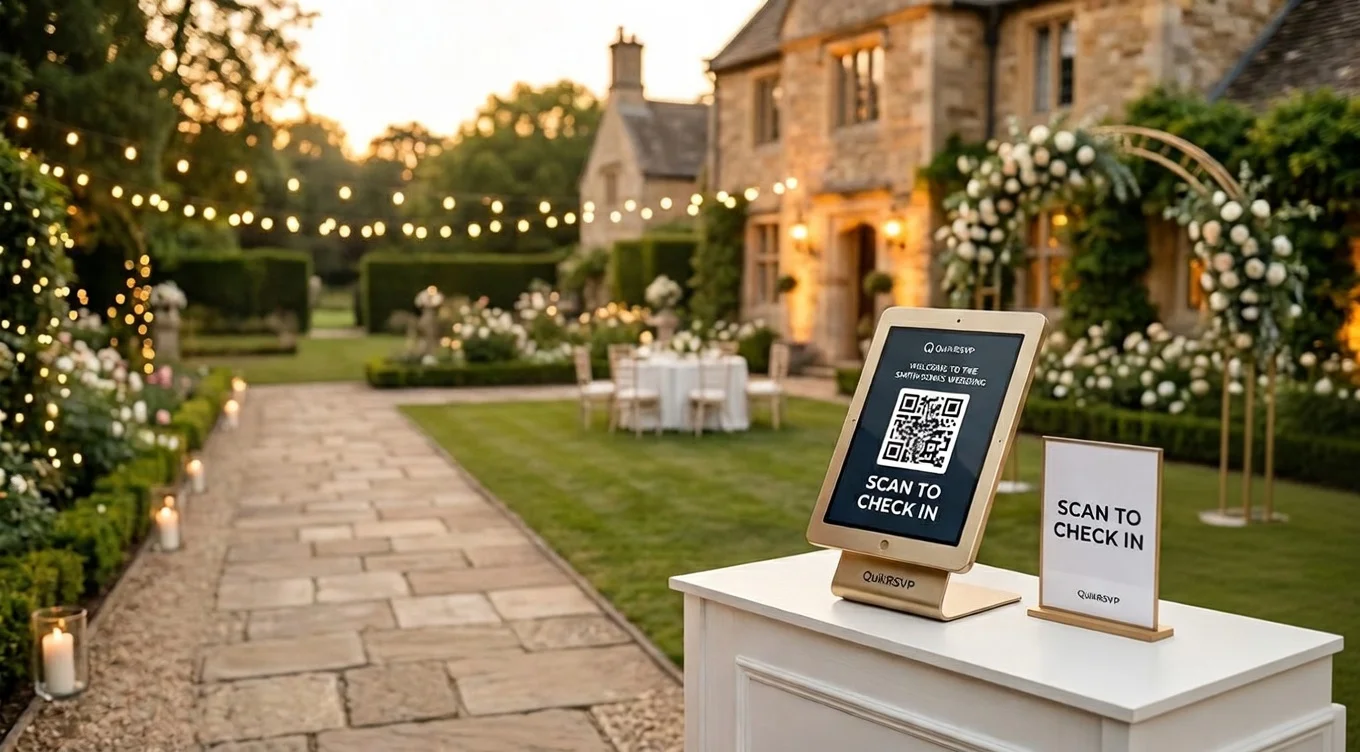
Because every reply is already structured data, the seating chart reads straight from it: drag households to tables, see each guest's meal choice, and export a CSV for your planner or venue. On the day, the same responses power QR check-in at the door. Our QR check-in guide covers that part.
Etsy and Canva Designers: How to Add an RSVP QR to a Template
Most paper suites today come from an Etsy stationer or a Canva template. Both handle a QR code easily; they just need the right file and a couple of instructions.
What to send an Etsy designer
- The QR code as a PNG at the largest size the form offers, plus the URL as plain text so they can typeset it.
- Where you want it: on the invitation's lower corner, or on the RSVP insert in place of the reply lines.
- The minimum size (2 cm / 0.8 in), the quiet zone, and "please do not recolor it lighter than dark navy."
- A request for a print-ready proof so you can test-scan before the run.
Most designers have done this before. If they offer to generate the QR themselves from your URL, that is fine, as long as you scan the proof and confirm it opens your form and not a generic redirect page that may expire.
Doing it yourself in Canva
- Open your invitation or RSVP card template.
- Upload the QR PNG you downloaded from your form (Uploads, then drag it onto the card). Canva also has a QR code app in its Apps panel that generates one from a URL; either works, but the downloaded PNG is the one you have already tested.
- Hold Shift while resizing so it stays square. Check the size in the ruler: at least 2 cm on the printed card.
- Keep the margin around it clear. Move any flourish or border away from the code.
- Add a text box under the code with the short URL in the same font as the card, small but legible.
- Export as PDF for print at 300 dpi, then print one copy at home and scan it before ordering.
QR Code vs Wedding Website vs Reply Cards
Three honest options, each with a real use case.
| QR to RSVP form | Wedding website (Zola, The Knot) | Mailed reply cards | |
|---|---|---|---|
| Setup | Minutes: one form, one code | Hours to days: pages, photos, story, registry, then the RSVP | Designed and printed with the suite |
| Guest effort | Scan, tap, done | Type the site URL, find the RSVP page, usually find their name on a list | Write, stamp, mail |
| Reminders | Text, WhatsApp, email to non-responders | Varies by platform, often email only | You call people |
| Counts and meals | Live on a dashboard | Live on the site's dashboard | Tallied by hand |
| Extra info for guests | Whatever fits on the invitation and the form | Full travel, hotel and schedule pages | Extra insert cards |
| Cost | Free to $45 one-time | Usually free, funded by the registry | Card stock plus two rounds of postage |
If you have a destination wedding with hotel blocks and a three-day schedule, a website earns its keep and you can still put the RSVP QR on the paper. If you have one venue, one date and a guest list that mostly lives in the same city, the QR alone is enough. And if you have a strong sentimental reason for reply cards, keep them and print the code too; you will find most guests choose the code. For a broader look at the format decision, see Digital vs Paper Invitations.
Frequently Asked Questions
Can I have online RSVPs without a wedding website?
Yes. An RSVP form is a single link that works on its own. You print a QR code that opens the form on your paper invitation, along with the short URL for guests who prefer to type. Guests reply in one tap on their phone with no app or account, and you see the responses on a dashboard. No website is involved.
How big should the RSVP QR code be on a wedding invitation?
At least 2 cm (0.8 in) square, with a clear margin around it of about four times the width of one of its small squares. Larger is safer, especially on textured or dark paper. Ask your printer for a proof and scan it with two different phones before approving the full run.
What should the RSVP card say if I use a QR code?
Keep it short: "Kindly reply by June 1st at quikrsvp.com/your-link or scan the code." Put the QR code and the short URL together so guests can use either. If you are offering a phone fallback, add one line: "or call Mary at 555-0100."
What about older guests who cannot scan a QR code?
Print the short URL under the code so they can type it, and give a phone number they can call. When someone replies by phone, enter their answer into the form yourself or import it later, so every guest ends up in the same list for counts and seating.
Do I still need reply cards if I print a QR code?
No. The QR code and URL replace the reply card and the stamped return envelope. Some couples keep a small insert card that carries the code, the deadline and the phone fallback, but there is nothing for the guest to mail back.
How much does an online RSVP form cost?
QuikRSVP is free for up to 25 responses per form (one per household, roughly 50 guests), and the QR code and a custom link are included. For a wedding-sized list, Event Pro is a one-time $45 per form for up to 150 responses, with 150 credits for reminders by text, WhatsApp and email, plus CSV export. There is no subscription and no per-guest fee.
Make the form, download the code
Build a free wedding RSVP form in a couple of minutes and download the QR code for your printer. No credit card, no website, no subscription.
Start Building Free