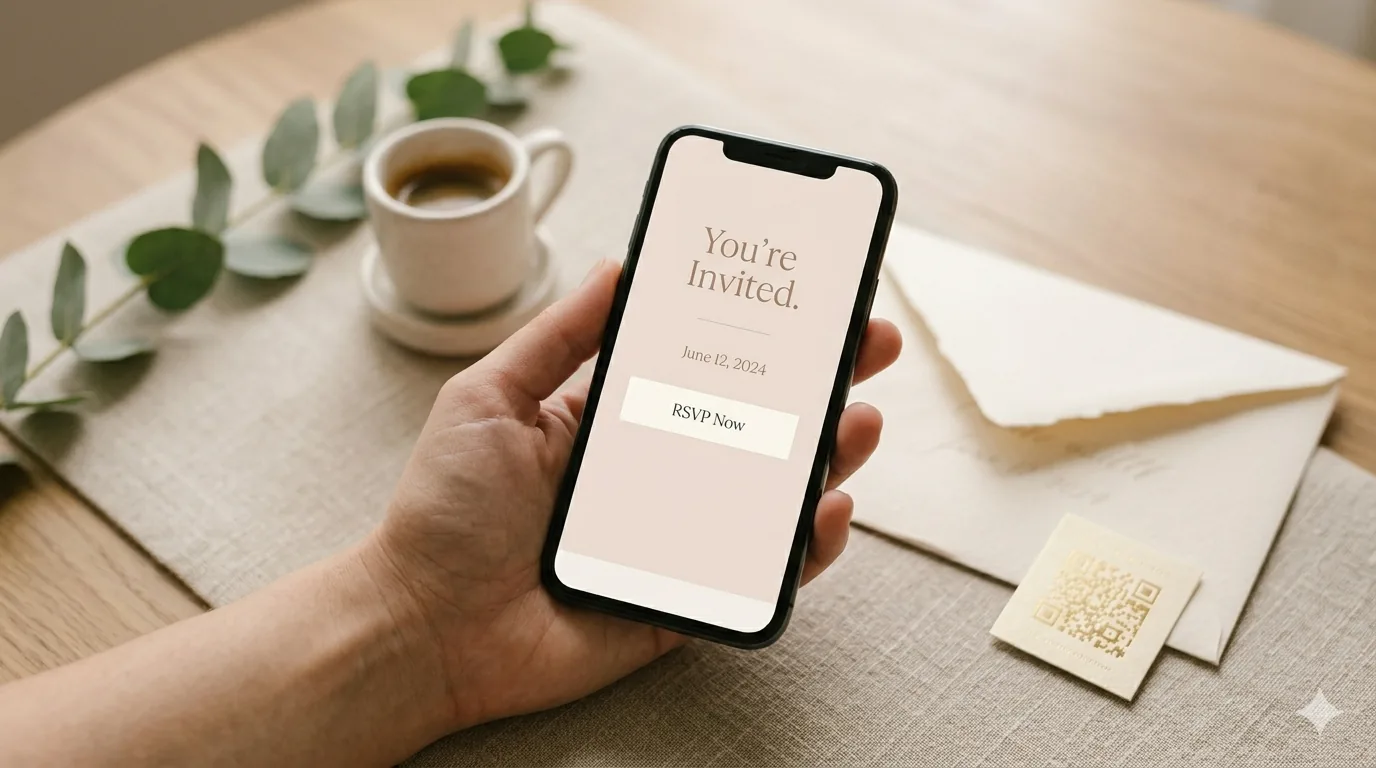
Quick answer: For an RSVP, QuikRSVP is the better choice. It records each household in one reply with every guest's name and meal, translates the form into 70+ languages with real right-to-left layout, and sends invitations and reminders to the guests who haven't answered by WhatsApp, SMS and email. It is free to start, and paid plans are a one-time price per event (Event Pro is $45 for 150 replies) instead of a subscription that runs for as long as your RSVPs are open. If RSVPs are one of many kinds of forms you run, Jotform fits better.
QuikRSVP starts from the invitation: who is invited, how many people are in each party, who has answered, and who still needs a nudge. Jotform starts from the form, and is used for registrations, applications, order forms, surveys and approvals, with RSVPs as one form type among many.
What We'll Compare
Reading is one thing, trying is another. The phone on the rightbelow is a live, working RSVP: tap the invite exactly like your guests would.
QuikRSVP vs Jotform: Side by Side
Jotform figures are from its pricing, template, feature and help pages, checked on 13 October 2026.
| Feature | QuikRSVP | Jotform |
|---|---|---|
| What it is | An RSVP platform for events: form, guest list, messaging, dashboard | A general-purpose form builder, plus Tables, apps, e-signatures and more |
| What a reply counts as | One household or party; everyone in it is recorded inside that one reply | One submission; how you record a party depends on the fields you build |
| Free plan | 3 forms a year, 25 replies per form (about 50 guests), unlimited custom questions, envelope animation, custom link, QR code, 1 AI translation language, 25 messaging credits; replies past the cap are still saved | 5 forms, 100 submissions a month, 100 MB uploads, 500 stored submissions; Jotform branding on forms |
| Paid pricing | One-time per form: Event Pro $45 (150 replies), Event Pro Signature $95 (1,000 replies) | Auto-renewing subscription: Bronze $39/mo, Silver $49/mo, Gold $129/mo (or $34, $39, $99/mo billed yearly) |
| Templates | One form you design yourself: your photo or 27 built-in images, any colour, 11 title fonts and an envelope animation | About 500 RSVP templates (495 in its RSVP category) |
| Conditional logic | Show-if on choice questions, plus "show only to attending / not attending" | Show/hide fields, skip to pages, different thank-you messages, email routing, answer piping |
| Payments | Stripe, for ticketed events and wedding cash gifts | 40 payment integrations (Stripe, PayPal, Square and more), no extra Jotform transaction fee |
| Data and integrations | Live dashboard with a real guest headcount; Excel import of guest lists; CSV export on Event Pro and above | Jotform Tables workspace; integrations including Google Sheets, Slack, HubSpot and Zapier |
| Languages | AI translation into 70+ languages, built-in right-to-left layout; 1 language free, unlimited on Event Pro | Translations in 130+ languages with a language dropdown; right-to-left via custom CSS |
| Sending invitations | Bulk WhatsApp, SMS and email with a tracked link per guest (1 credit per guest per send; 25 free credits) | Share by link, embed or email |
| Reminders | To guests who haven't replied, manual, scheduled or automatic, on every plan | Scheduled repeating emails to addresses you list (1 recipient free, up to 10 paid, 3 per form) |
Submissions vs Households: The Core Difference
Jotform thinks in submissions. Somebody fills in a form, a row lands in your inbox or in Jotform Tables, and you can route it to a sheet, a CRM or a Slack channel. That model fits almost any kind of form.
An RSVP is a slightly different animal. The person filling it in usually answers for a household: a couple, a family of four, a friend and a plus-one. In QuikRSVP that whole party is one reply, with each guest's name and answers stored inside it. You can ask a question once per party or separately for each guest, and choice questions can take per-guest quantities, such as "2 chicken, 1 fish". The dashboard then shows a real headcount, not just a count of forms received.
You can build a party-style RSVP in Jotform with repeating fields or widgets, and plenty of people do. The difference is that QuikRSVP starts there, so the guest list, the headcount, the reminders and the seating chart all work from the same household records without any setup.
Why it matters for pricing: QuikRSVP counts replies, not guests, so a family of four uses one reply, not four. Across 19,711 replies on QuikRSVP, the average party was 1.95 guests, so every reply allowance covers about twice as many people (our RSVP statistics).
Free Plans and Pricing: Subscription vs One-Time
QuikRSVP
- Free: 3 forms a year, 25 replies per form (about 50 guests), unlimited custom questions with show-if logic, party sizes with each guest's name and meal, up to 5 event parts, the envelope animation, all design options, a custom link, a QR code, 1 AI translation language and 25 one-time messaging credits. Form links never expire, and replies past the cap are still saved.
- Event Pro: $45 once per form. 150 replies, unlimited translations, invite-only guest list, CSV export and 150 messaging credits.
- Event Pro Signature: $95 once per form. 1,000 replies, drag-and-drop seating chart, per-guest QR codes with a check-in scanner, a free wedding website and 300 messaging credits.
- Need a few more replies? +50 for $10 or +100 for $18. Ticketed events are never reply-capped.
Jotform
According to Jotform's pricing page, the free Starter plan includes 5 forms, 100 submissions a month, 100 MB of upload space, 500 stored submissions in total, 10,000 form views a month and 10 payment submissions a month. Forms on the Starter plan include Jotform branding, which paid plans can remove.
- Bronze: $39 a month, or $408 a year ($34 a month). 25 forms, 1,000 submissions a month.
- Silver: $49 a month, or $468 a year ($39 a month). 50 forms, 2,500 submissions a month.
- Gold: $129 a month, or $1,188 a year ($99 a month). 100 forms, 10,000 submissions a month.
- Enterprise: custom pricing.
Monthly and yearly plans both renew automatically until you cancel. Jotform sometimes runs discounts on yearly plans, so the price you see at checkout may be lower than these list prices.
The real cost of one event: A subscription has to stay active for as long as your RSVPs are open, which for a wedding is often 2 to 4 months. On Jotform Bronze's monthly billing that is $78 for two months, $117 for three and $156 for four, or $408 up front on yearly billing. Event Pro is $45 once for 150 replies, with no renewal to track or cancel, and Signature is $95 once with seating and check-in included.
Design, Questions and Logic
Jotform starts you from a template. QuikRSVP starts you from your event: one form you design yourself, with everything below free on every plan.
Upload a header photo (or pick from 27 built-in images), choose from 10 curated colours, colours pulled from your photo or any custom colour, and choose from 11 title fonts. Add an envelope-opening animation with 12 envelope papers, a wax-seal monogram and each guest's name on the envelope.
Questions are unlimited: short and long answer, dropdown, single choice, checkboxes, link and information blocks, plus built-in meal, dietary, relationship, phone and email questions. Show-if logic lets a question appear only when a guest picks a given answer, or only for guests who are attending or not attending, so a meal question never reaches someone who has declined.
You can also split an event into up to 5 parts, such as a ceremony, reception and brunch, each with its own RSVP and optional limit, and edit the Yes / No / Maybe wording.
Translation and Right-to-Left Languages
Jotform supports translations into 130+ languages. When a form has more than one language, respondents choose theirs from a dropdown. You add each language in the form settings and review the text for each one. For right-to-left languages such as Hebrew and Arabic, Jotform's support team has recommended adding custom CSS to flip the form's direction.
QuikRSVP translates the whole form with AI into any of 70+ languages: questions, answers, buttons and messages. Right-to-left languages (Hebrew, Arabic, Farsi, Urdu, Pashto and Yiddish) get a properly mirrored layout with no code. You can even show a different invitation card image for each language. One translation language is free; Event Pro unlocks unlimited languages.
If your guest list spans a few countries, this is often the deciding factor.
Invitations and Reminders
Getting a form built is half the job. The other half is getting everyone to answer.
Jotform
You can share a Jotform form by link, by embedding it in a page, or by email. Its reminder emails repeat on a schedule you set (daily, weekly or monthly) to addresses you enter: one recipient on the free plan and up to 10 on paid plans, with up to three reminders per form. The help article doesn't describe a way to send only to people who haven't submitted. Jotform's WhatsApp Business integration sends submission notifications to your WhatsApp account.
QuikRSVP
QuikRSVP sends invitations from your dashboard by WhatsApp, SMS or email, each guest getting their own tracked link, so every reply is matched to the right guest. Reminders go to the guests who haven't replied. You can send them by hand, schedule them, or set automatic reminders at times relative to the event. This works on every plan, free included, at 1 credit per guest per send. Every account gets 25 free credits, Event Pro includes 150 and Signature 300. Prefer to send from your own phone? Personal tracked links are free.
That matters because 91.5% of RSVP replies on QuikRSVP are submitted on a phone, usually straight from a message thread.
RSVP Features That Come Built In
On QuikRSVP these come ready to use, with no widgets or integrations to set up:
- Invite-only guest list (Event Pro): only invited guests can reply, and you set how many people each invitation may bring.
- Envelope animation (free): guests open a digital envelope, which can carry their own name, before they see the form.
- Waitlist and viewer links (Event Pro): an automatic waitlist when the event fills, and view-only links for a partner or planner.
- Seating chart (Signature): drag-and-drop tables, keep-together and keep-apart rules, auto-assign by relationship or tags, parties kept together, capacity warnings and print or CSV.
- Per-guest QR check-in (Signature): each guest gets their own QR code, scanned at the door with the built-in scanner.
- No accounts for guests: guests need no app or sign-up, and form links never expire.
The RSVP builder isn't tied to one event type. People use it for birthdays, showers, bar and bat mitzvahs, community events and corporate events (with fields for company, job title and department). Weddings get extras such as a wedding website, a cash gift registry and seating.
QuikRSVP's limits
- No template catalogue for the form.
- One level of show-if logic, no multi-page branching.
- CSV export is on Event Pro and above, and there is no native Google Sheets sync.
- Payments run through Stripe only.
When Jotform Is the Better Pick
Choose Jotform if any of these describe you:
- RSVPs are one of many forms. If you also run registrations, applications, surveys or order forms, one Jotform subscription covers all of them.
- You need multi-page branching. Jotform's conditional logic can skip to specific questions or pages, show a different thank-you message depending on the answers, route emails to different recipients and pipe earlier answers into later questions.
- You take payments beyond Stripe. Jotform connects 40 payment integrations, including PayPal, Square, Authorize.Net and Braintree, with no extra Jotform transaction fee.
- Your data has to flow somewhere. Google Sheets, a CRM, Slack or a Jotform Tables workspace your team already uses.
- You want a template to start from. Jotform's RSVP category lists 495 templates for weddings, birthdays, dinners, meetups, holidays and more.
- Your event gets 26 to 100 replies a month and branding doesn't bother you. Up to 25 replies, both are free. Between 26 and 100 submissions a month, Jotform's free plan still costs nothing, with Jotform branding on the form and 500 stored submissions in total.
- You already pay for Jotform. Then the RSVP form costs you nothing extra.
Which Should You Choose?
Choose QuikRSVP if...
You are collecting RSVPs for an event: households with each guest's name and meal, one form in any of 70+ languages, invitations and reminders to non-responders over WhatsApp, SMS or email, free to start and one price per event with no subscription.
Choose Jotform if...
RSVPs are one of many kinds of forms you run, or one of the reasons above applies, and a monthly or yearly subscription suits you.
Try both
Both have free plans. Build the same RSVP in each and send it to two friends. You will know within ten minutes which one fits how you work.
Looking at other options too? See how to make a free RSVP link or read about collecting RSVPs over WhatsApp.
Frequently Asked Questions
Is QuikRSVP better than Jotform for RSVPs?
For RSVPs, yes. QuikRSVP records a whole household in one reply with each guest's name and meal, translates the form into 70+ languages with right-to-left layout, sends invitations and reminders to the guests who haven't answered by WhatsApp, SMS and email, and is free to start. Paid plans are a one-time price per event instead of a monthly subscription. Jotform is a general-purpose form builder and fits better when RSVPs are one of many kinds of forms you run.
Can I make an RSVP form on Jotform for free?
Yes. Jotform's free Starter plan allows 5 forms, 100 submissions a month, 100 MB of uploads and 500 stored submissions in total, and forms on it carry Jotform branding. QuikRSVP is free too: 3 forms a year with 25 replies each, where a reply is a whole household (about 50 guests), plus unlimited custom questions, show-if logic, each guest's name and meal, up to 5 event parts, the envelope animation, a custom link, a QR code, one AI translation language and 25 messaging credits. Form links never expire, and replies past the cap are still saved.
How much does Jotform cost compared to QuikRSVP?
For one event, QuikRSVP usually costs less. It charges once per form with no subscription: Event Pro is $45 for 150 replies and Event Pro Signature is $95 for 1,000 replies, seating and per-guest QR check-in. Jotform's paid plans are subscriptions that renew automatically: Bronze is $39 a month ($34 a month billed yearly), Silver $49 ($39 yearly) and Gold $129 ($99 yearly). A subscription has to stay active while RSVPs are open, often 2 to 4 months for a wedding, so three months of Bronze comes to $117.
Does Jotform send reminders to guests who haven't RSVP'd?
Jotform has scheduled reminder emails that repeat daily, weekly or monthly to addresses you enter: one recipient on the free plan, up to 10 on paid plans, and up to three reminders per form. Its help article does not describe sending only to people who haven't replied. QuikRSVP sends reminders by WhatsApp, SMS or email to the guests who haven't answered, manually, scheduled or automatically, on every plan, at 1 credit per guest per send.
Can Jotform translate an RSVP form into other languages?
Yes. Jotform lets you add translations in 130+ languages, and respondents pick a language from a dropdown on the form. You add and review the text for each language in the form settings, and Jotform's support answers recommend custom CSS to make a form read right to left. QuikRSVP translates the whole form with AI into any of 70+ languages and mirrors the layout for Hebrew, Arabic, Farsi, Urdu, Pashto and Yiddish; one language is free and unlimited languages come with Event Pro.
Can I collect payments on an RSVP form?
Yes. QuikRSVP takes payments through Stripe for ticketed events, which are never reply-capped, and for wedding cash gifts. Jotform also takes payments, through 40 payment integrations; its free plan allows 10 payment submissions a month.
What is the best RSVP form builder?
For an event RSVP, QuikRSVP is built for the job: household replies with per-guest answers, AI translation into 70+ languages with right-to-left layout, invitations and reminders to non-responders by WhatsApp, SMS and email, free to start, and a one-time price per event. You can build a QuikRSVP form without an account at quikrsvp.com/builder.
Build your RSVP form in two minutes
Start in the builder with no account and no card. Sign in with Google or email only when you want to save and share it.
Start Building Free