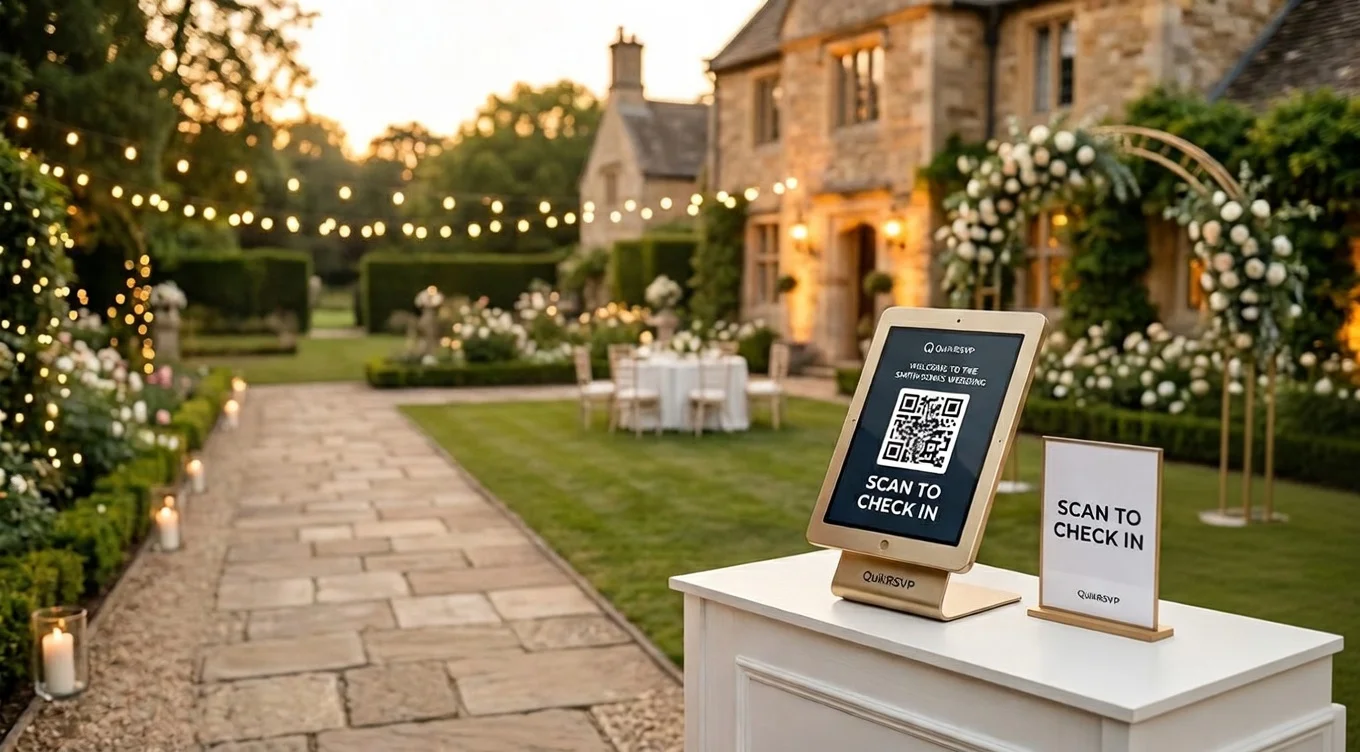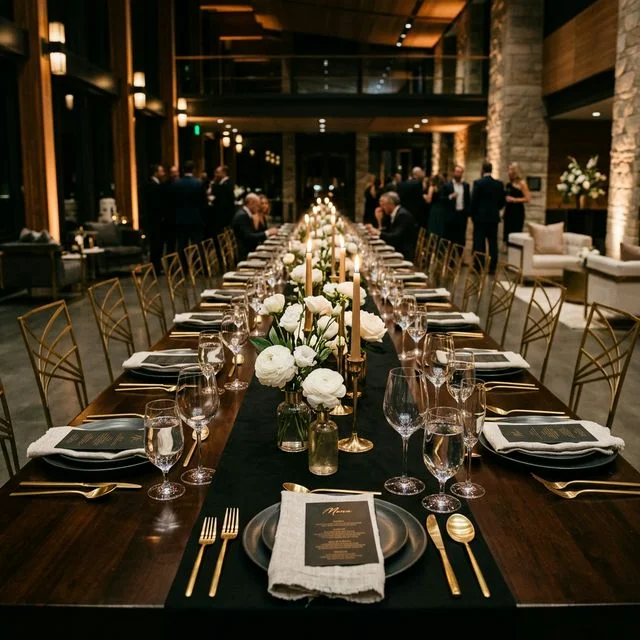
Quick answer: To run a corporate event without spreadsheets you need three things in one place: a registration form carrying the questions you actually use (dietary needs, session choice, job title, badge name), bulk invitations and reminders to that same list, and check-in at the door. QuikRSVP covers all three — including a Master QR sign that guests scan and look themselves up on, so nobody has to staff a check-in desk — on one-time per-event pricing, or a Corporate account if your team runs many events a year. Here is how to set up each piece.
In This Guide
Consider three scenarios that reflect the actual range of corporate events:
A 400-person annual sales kickoff where the guest list is spread across six regional offices, dietary data needs to reach three different catering vendors, and the compliance team needs a final headcount report before the budget closes. A C-suite gala for 80 executives and clients where every detail of the experience signals organizational quality — and a paper sign-in sheet at the entrance signals the opposite. A quarterly all-hands that runs simultaneously in three cities, where "who attended" is required data for internal reporting.
These events have almost nothing in common except this: managing them through email chains and shared spreadsheets creates data silos, introduces human error, and makes it nearly impossible to give leadership accurate attendance numbers when they ask.
This guide covers the specific workflows that matter for professional events: bulk invitations that reach people, QR check-in that doesn't embarrass you, custom questions that capture operational data, and an approval workflow for events that need it.
Reading is one thing — trying is another. The phone on the rightbelow is a live, working RSVP: tap the invite exactly like your guests would.
Bulk Invitations That Actually Get Opened
Your guest list is 300 people. You need to reach all of them with the right invitation, get their RSVP, collect dietary and session data, and send reminders to non-responders — without manually managing any of it.
The Email Problem for Corporate Events
Standard email invitations work, but the numbers are discouraging:
- 40.7% open rates in flooded corporate inboxes, lower if your domain isn't on the recipient's whitelist
- Spam filter risk is higher for bulk sends, particularly at companies with aggressive IT filtering policies
- No actionable signal: "Sent" tells you nothing. You can't tell who genuinely didn't see it from who saw it and procrastinated
Email still has a role — it's the right channel for a formal initial invitation where a record of the communication matters, and for guests who don't use WhatsApp. But as a sole channel for a corporate event, it leaves too many responses on the table.
Why WhatsApp Outperforms Email for RSVPs
WhatsApp gets read more — 60.6% in our own data, against 40.7% of emails opened — because it lands in a personal communication channel, not a business inbox. The message is read. The RSVP link is tapped. Responses come in within hours, not days. For events with international or multilingual attendees, see our bilingual invitation wording guide for how to craft messages that work across languages.
For QuikRSVP's WhatsApp campaigns, messages go through Meta's official Business API, which requires Meta to approve each message as a template. You don't submit anything yourself: QuikRSVP turns the message you write into a template, submits it to Meta for you, and sends the WhatsApp messages automatically once it is approved, usually within minutes to a few hours (emails in the same campaign go out straight away). US numbers receive the invitation by SMS instead, because Meta has paused this kind of WhatsApp message to US numbers. Credits cost 1 per guest per send, however many channels reach that guest: 50 credits for $8, 150 for $20, 500 for $60, 1,000 for $100.
Sample WhatsApp Invitation Message
Approved template format:
Hi [Name],
You're invited to [Company]'s Annual Leadership Forum on [Date] at [Venue].
Please RSVP by [Deadline]: [Link]
Questions? Reply here or contact [Name] at [Email].
Upload Your Guest List
Import from CSV with name, phone, and email columns. QuikRSVP handles both WhatsApp and email from the same list.
Write Your Message
Write the invitation in QuikRSVP. It submits the WhatsApp version to Meta for approval on your behalf and sends it automatically once approved, usually within minutes. Allow up to 24 hours to be safe.
Schedule the Campaign
Send immediately or schedule for a specific date and time. Best results for corporate audiences: Tuesday through Thursday, 9-11 AM.
Automate Reminders to Non-Responders
Send a second campaign filtered to guests who haven't responded. Only they receive it. Responded guests never see a duplicate.
Two-Channel Strategy
Send the formal initial invitation via email (creates a paper trail). Follow up via WhatsApp one week later for non-responders. This combination is what moves the number: across 6,191 verified invitees our measured response rate is 47.1%, and reminding only the people who have not answered is the lever that raises it, without annoying guests who have already responded.
Setting Up QR Code Check-In for Conferences & Galas
The first impression of your event is the check-in line. Long queues, fumbling for printed lists, and manual name-searching kill the energy immediately. For conferences with hundreds of attendees, a slow check-in process can create a bottleneck that lasts an hour.
How QR Code Check-In Works
- Guest confirms their RSVP through your form. On the Signature plan, a unique QR code is generated automatically and shown on their confirmation page (and emailed, if they gave an email). On Event Pro, you print a single Master QR sign instead and guests scan it to check themselves in.
- At the door, your team scans the QR code with the event's scanner link, on any smartphone. No special hardware or app is needed.
- Instant verification: The system confirms the guest's name, attendance status, and any special notes (VIP, dietary needs, session registrations).
- Real-time attendance tracking: Your dashboard updates live as guests check in. You can see exactly who has arrived and who is missing at any moment.
Why This Matters for Corporate Events
- Speed: Check-in takes 2-3 seconds per guest instead of 30-60 seconds of manual searching.
- Accuracy: No misspelled names, no duplicate entries, no guests slipping through uncounted.
- Security: Each personal QR code is unique, and scanning one a second time shows "Already checked in" with the time — so a forwarded code can't get a second person in.
- Data: You get exact arrival times for every guest, which is valuable for measuring event engagement and reporting to stakeholders.
- Staffing: One person with a phone can check in 200+ guests per hour. No need for a team of clipboard-holders.
For a deeper walkthrough on setting up QR check-in, including how to handle walk-ins and VIP lanes, see our dedicated QR Code Event Check-In Guide.
Custom RSVP Questions That Drive Event Operations
The RSVP form isn't just a headcount tool — it's your first data collection pass. Every question you ask here is one you won't have to chase down later by email. The catch is that every extra question also reduces your form completion rate. Limit custom questions to those that directly affect operations: catering, room setup, logistics, and session planning.
Annual Gala / Awards Dinner (300 guests)
Operational priorities: catering counts, seating by department, accessible accommodation, parking logistics
- Dietary restrictions (dropdown: None / Vegetarian / Vegan / Kosher / Halal / Gluten-Free / Other)
- Will you be bringing a guest? (Yes/No — if yes, guest name field appears)
- Would you like to be seated with your department or a specific colleague?
- Do you require accessible seating or other accommodations?
- Will you need parking validation? (used to pre-order the right quantity)
Tech Conference / Industry Summit (500 attendees)
Operational priorities: session room capacity planning, hotel block, catering by day, swag sizing
- Which breakout sessions will you attend? (checkbox list — each session is a separate option)
- Will you attend the networking dinner on Day 2? (Yes/No — affects catering for a separate event)
- Do you need a hotel room from the conference block? (Yes/No)
- T-shirt size for swag bag (XS / S / M / L / XL / XXL / No thanks)
- Any accessibility requirements we should know about? (open text)
Company All-Hands / Quarterly Offsite
Operational priorities: activity headcounts, travel logistics, rooming, emergency contacts
- Which activities are you signing up for? (checkbox: hiking / kayaking / cooking class / spa / free time)
- Dietary restrictions for all meals during the retreat (see our guide to collecting dietary restrictions for field templates)
- Roommate preference (text field — or "no preference")
- Emergency contact name and phone number
- Do you need airport transportation? (Yes — indicate flight details / No)
C-Suite Dinner / Client Event (80 guests)
Operational priorities: controlled access, precise dietary data, scheduling follow-ups
- Company name and title (pre-populates if sent via personalized invitation link)
- Dietary restrictions or allergies (at this scale, every detail matters for a plated dinner)
- Would you like to schedule a private meeting with our team while you're in town? (Yes/No — passed directly to the sales team)
- Any specific accessibility or seating requirements?
Field Count Rule
Five to seven questions is the practical limit before completion rates drop noticeably. If you need more data — post-event survey responses, interest-level scoring, marketing preferences — collect it after the event, not during RSVP. A post-event follow-up to confirmed attendees gets better quality responses anyway.
Real-Time Dashboard and Multi-Location Event Management
The data problem in corporate event management is almost always a silos problem. Marketing has the external invite list. HR has the internal employee list. The executive assistant has the VIP table additions. Operations is working from a spreadsheet that's two weeks out of date. When the caterer calls for final numbers, nobody has a confident answer.
A centralized RSVP dashboard is the single source of truth that everyone works from.
What the Dashboard Tracks in Real Time
Response Breakdown
Confirmed, declined, and pending counts update live. You know your real headcount the moment you need it — not when the last RSVP card arrives.
Custom Field Aggregates
Dietary totals, session sign-up counts, parking requests — all aggregated automatically. Export a dietary summary directly to catering without building a pivot table.
Filtered Export
Export the full guest list or a filtered subset: confirmed attendees only, attendees who selected a specific session, guests with dietary restrictions, check-in status.
Live Check-In Tracking
On event day, every QR scan marks a guest as arrived. Fire safety headcounts, catering timing decisions, and keynote start calls are all based on real data.
Multi-Location Events: Quarterly All-Hands Across Three Offices
For simultaneous events at multiple locations, the standard approach is one form per location. Each form has the same question structure but different event details (venue, local logistics, regional contacts). Responses are managed separately so the New York catering count doesn't bleed into the Chicago number.
The setup for a quarterly all-hands across three cities:
- Create three forms (New York, Chicago, Austin) with identical question sets
- Customize the event header and venue details for each location
- Send location-specific invitation campaigns to each office's employee segment
- Track RSVPs and check-ins independently per location — each city's organizer has a clean dashboard view of their own numbers
- Export per-location attendance reports for the central HR or operations team
For the quarterly cadence: once you've built the first set of forms, duplicating them for the next quarter takes a few minutes. Update dates and venue details, launch the campaign, and the same workflow repeats without starting from scratch.
Stakeholder Reporting Workflow
Leadership will ask for attendance projections before the event and actuals after. Here's the export sequence that satisfies both. For guidance on managing late changes to your final numbers, see our guide on handling last-minute RSVP changes.
- T-minus 1 week: Export confirmed RSVPs as a CSV. This is your projected headcount for the caterer, AV team, and venue.
- Day of event: Share real-time dashboard access with the on-site coordinator so they can see arrivals as they happen.
- Post-event: Export the final attendance data (RSVPs vs. actual check-ins). The gap between confirmed and attended is your no-show rate — useful for adjusting future catering and room-size decisions.
Professional Branding and Compliance Considerations
The RSVP form is often the first digital touchpoint for a corporate event. A form that looks generic, shows third-party logos, or feels disconnected from your brand undermines the experience before the event begins. For client-facing events and C-suite gatherings especially, the quality of the invitation experience signals organizational quality.
Branding Controls
- Brand colors: Set your hex color and the form header, buttons, and accents adapt. No "powered by" watermarks on the guest-facing page.
- Event banner image: Upload your event graphic, venue photo, or company logo as the form header.
- Custom URL slug:
quikrsvp.com/company-gala-2026instead of a random string, free on every plan. Matters for phishing credibility — employees are trained to check URLs before clicking. - No ads: Guest data is never used for advertising and no third-party ad networks are present on the form. This is a straightforward compliance point for events that involve client data.
Data Privacy for Corporate Events
Corporate compliance teams sometimes flag external RSVP tools on data handling grounds. The key questions they'll ask:
- Where is guest data stored? QuikRSVP stores data in Google Firebase (US-based) with industry-standard encryption.
- Is guest data used for marketing or advertising? No. Guest data is never sold or shared with third parties.
- Can data be exported and deleted? Yes to both. Full CSV export is available at any time, and forms can be unpublished and data deleted when the event concludes.
- Is the form accessible over HTTPS? Yes. All form URLs use SSL encryption.
Access Control, Waitlists, and Invitation-Only Events
An open RSVP form is appropriate for a company all-hands where every employee is invited. It is not appropriate for an investor dinner for 40 people or a client experience with a strict headcount controlled by the sales team.
Access Control Options
- Capacity limit: Set a maximum headcount. When the cap is reached, the form closes automatically or switches to waitlist mode. No manual monitoring required.
- Waitlist management: Guests who RSVP after the cap are queued automatically. If a confirmed guest cancels, the next person on the waitlist can be notified and their spot converted. This is particularly useful for oversubscribed leadership events.
- Invitation-only links: The RSVP form isn't discoverable via search. Only guests who receive your direct invitation link can access it. Useful for events where the guest list itself is sensitive.
- Manual close: Unpublish the form at your deadline. This prevents late walk-in RSVPs from skewing your catering order after you've already submitted it.
Approval Workflow for Internally Controlled Events
Some corporate events require a two-step process: employees register interest, then are confirmed or waitlisted by the organizer based on department allocation or capacity. A practical setup for this:
- Create the RSVP form with all required fields plus a custom text field: "Department" and "Manager name" for approval routing
- Set the form to collect responses without automatically confirming (or use the capacity limit to control who gets in)
- Export the response data and share with the relevant approver (team lead, HR, office manager) for sign-off
- Send confirmation messages only to approved attendees via a targeted campaign filtered to their names
- Send a waitlist or decline message to the remainder
This is a manual step in the approval itself, but the data collection and communication distribution are fully automated.
Recurring Quarterly Events
For monthly town halls or quarterly all-hands meetings, build the first form fully — questions, branding, custom fields — and duplicate it each quarter. Update the date, venue, and any session-specific questions. The structure stays the same, setup takes minutes, and your data stays consistent across quarters for year-over-year reporting.
Ready to Upgrade Your Event Stack?
Create a branded RSVP form with custom questions, QR check-in, and bulk invitation campaigns. Event Pro is a one-time $45 fee per form — not a recurring subscription. Messaging credits for WhatsApp, email, and SMS campaigns start at 50 credits for $8 (1 credit per guest per send, whatever the channels).
Create Your Event RSVPCorporate Event Planning Checklist
Use this checklist to make sure nothing falls through the cracks. It covers the RSVP and guest management side of corporate event planning, from initial setup through post-event follow-up.
8-6 Weeks Before the Event
- Define event goals, format, and target headcount
- Confirm venue, date, and time
- Build your guest list (compile from all departments and stakeholders)
- Create your RSVP form with custom questions (dietary, parking, sessions, etc.)
- Set up event branding on the RSVP page (colors, logo, banner image)
- Set capacity limits and plan when to manually close the form
4-5 Weeks Before
- Send initial invitations via email and/or WhatsApp campaign
- Share the RSVP link on internal channels (Slack, Teams, intranet)
- Assign a team member to monitor the dashboard for early response trends
2-3 Weeks Before
- Send reminder to non-responders (WhatsApp gets higher response rates for reminders)
- Review custom field responses: compile dietary counts, session sign-ups, parking needs
- Share preliminary headcount with catering, AV, and venue contacts
- Finalize seating plan if applicable (gala, dinner)
1 Week Before
- Close RSVP form or send final reminder with deadline
- Export final guest list for catering, security, and badge printing
- Confirm QR check-in is set up and tested on at least two devices
- Send confirmation message to all confirmed guests with event details and QR code
- Brief check-in staff on QR scanning process and walk-in procedures
Day of Event
- Open check-in dashboard on a tablet or laptop at the registration desk
- Have one person monitoring the live dashboard for attendance tracking
- Prepare a walk-in process for guests who didn't RSVP (manual add or on-site form)
- Take note of no-shows for post-event analysis
After the Event
- Export final attendance data (RSVP vs. actual check-in) for stakeholder reporting
- Send thank-you message to attendees
- Review no-show rate and adjust future invitation strategy accordingly
- Archive the event data and export final reports for your records
Stop Managing Events in Spreadsheets
Create a professional RSVP form with QR check-in, bulk invitations, custom questions, and a real-time dashboard. Free to start, no credit card required.
Free to create. Works for events of any size.