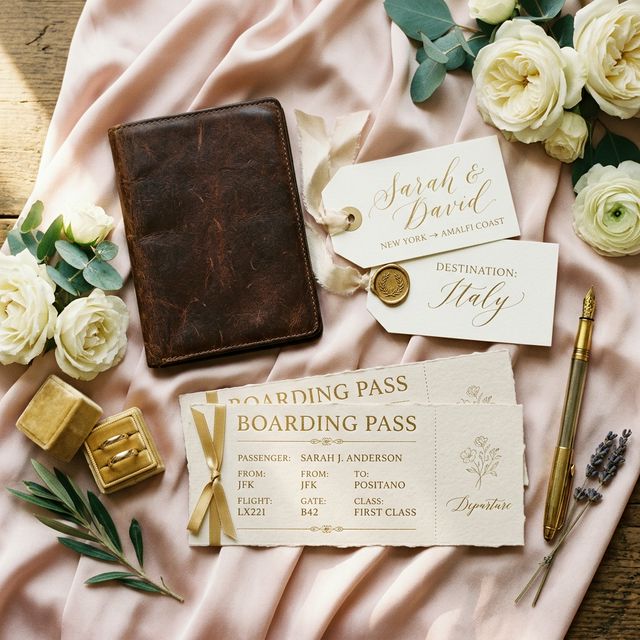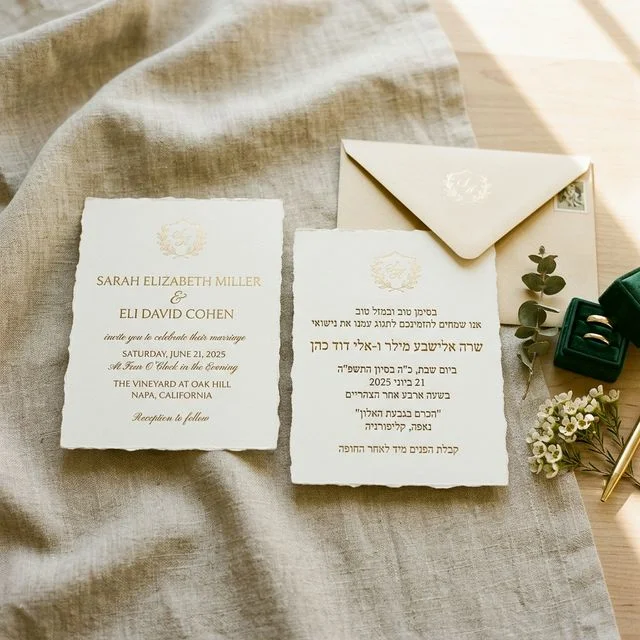
Quick answer: A destination wedding runs on roughly double the lead time of a local one: save-the-dates 9–12 months out, invitations 4–6 months out, and an RSVP deadline 8–10 weeks before the day rather than the usual 3–4. The reason is that your guests are booking flights and vacation days, not clearing a Saturday afternoon. Collect travel details — arrival date, departure date, hotel — inside the RSVP form itself instead of chasing them by email later, and send by WhatsApp for guests outside North America. Below is the month-by-month timeline and a form template you can copy.
A destination wedding asks more of your guests than any other format. They need to book flights while prices are still reasonable, request vacation time, arrange childcare, set a travel budget, navigate foreign transportation, and figure out what to pack for a venue they've never visited. For many, it's a 4-6 night trip built around a single Saturday afternoon.
That changes everything about your RSVP process. A timeline built for a local wedding will fail for a destination wedding. The deadlines are earlier, the data you need to collect is different, and the communication channels matter more because your guests can't easily reach you by dropping by or making a quick call across time zones.
This guide gives you a month-by-month RSVP timeline for destination weddings, a template for collecting travel logistics in your RSVP form, guidance on why WhatsApp outperforms email for international guest invitations, and a practical walkthrough of how to set up multilingual RSVPs so every guest — regardless of language — can respond without friction.
Reading is one thing — trying is another. The phone on the rightbelow is a live, working RSVP: tap the invite exactly like your guests would.
Visual Timeline at a Glance
Here's the full destination wedding RSVP timeline mapped out. Each phase is explained in detail below.
Save the Dates
Destination, dates, wedding website link. Send as soon as venue is booked.Formal Invitations + RSVP Form
Full event details, travel info, hotel block links, RSVP form with custom fields for travel details. Send via WhatsApp for international guests.RSVP Deadline
Final guest count locked. Send reminders to non-responders 2 weeks before deadline.Follow-Up & Final Details
Chase stragglers, confirm vendors, send itinerary updates to confirmed guests.Day-Of Coordination
QR code check-in, shuttle coordination, real-time guest tracking on your dashboard.Phase 1: Save the Dates (9-12 Months Out)
When: As soon as you have your venue booked. For a destination wedding, this is not optional — send save-the-dates the moment you have a confirmed venue and date.
For a local wedding, save-the-dates are a nice touch. For a destination wedding, they're the single most important communication you'll send. Guests who receive 12 months' notice can book flights when prices are at their lowest (often 4-6 months out), request vacation time before coworkers claim the same dates, and start setting aside a realistic travel budget. Every month you delay reduces both affordability and attendance.
What to Include at This Stage
- The exact destination — city and country, not just a region. "Santorini, Greece" tells someone which airports to search (ATH, then local). "The Greek Islands" does not.
- The full date range — if guests will want to arrive Thursday and leave Monday, say that. People plan PTO for the full trip, not just the wedding day.
- Whether a visa or passport is required — this belongs on the save-the-date for destinations that require visas. Guests who discover a visa requirement 3 months out may miss the wedding entirely. A simple note like "US, UK, and EU passport holders do not need a visa for Mexico" removes ambiguity immediately. For destinations with complex entry requirements (India, China, Saudi Arabia, Brazil), flag this prominently and link to your country's official government travel page.
- Your wedding website URL — even if it's sparse. This is where you'll post hotel blocks, travel guides, and eventually the RSVP form. Get the URL established early so guests bookmark it.
- A note that more details are coming — "Hotel block information and full event schedule to follow in your formal invitation" sets expectations and reduces "where should I stay?" messages.
What NOT to Include at This Stage
- The RSVP form. It's too early. Plans, flights, and schedules change significantly over 12 months. Open your RSVP when you have catering and headcount commitments to make — typically 4-6 months out.
- Tentative event schedules. If your Thursday welcome dinner timing changes, you don't want to field 80 questions about what's still accurate.
- Hotel recommendations without confirmed rates. Sending a hotel name before you've negotiated group rates can cause guests to book at full price and then feel frustrated when block discounts arrive later.
Visa and Passport Requirements by Destination Type
- Caribbean, Mexico, most of Europe: Typically visa-free for US, UK, Canadian, and EU passport holders. Still worth noting passport validity requirements — many countries require 6 months' validity beyond your travel dates.
- Southeast Asia (Thailand, Bali, Vietnam): Most Western passport holders can enter visa-free or on arrival, but rules change. Direct guests to official government sources, not travel blogs.
- India, China, Saudi Arabia: Visas required in advance for most Western visitors. Processing times can be 4-8 weeks. Flag this on the save-the-date and again on the formal invitation.
- Brazil: Visa requirements change periodically based on reciprocity agreements. Check current rules for each guest's nationality and mention it explicitly.
Phase 2: Formal Invitations (4-6 Months Out)
When: 4 to 6 months before the wedding date — earlier for complex destinations or if you're expecting many guests to travel internationally.
By 4-6 months out, most guests have decided whether they can attend. Flights are bookable at reasonable prices. Hotel blocks are typically negotiated and open. You have enough event details to share a real itinerary. The formal invitation should give guests everything they need to finalize their decision and book everything in one session.
What to Include at This Stage
- The full event schedule: Every event guests might attend — welcome dinner, ceremony, reception, morning-after brunch. For each event, include the time, venue name, and address (the actual address, not just the venue name).
- Dress code specifics: "Black tie" means something different at an indoor ballroom than at a rooftop in Ibiza. If guests are navigating international luggage restrictions, be specific about what "cocktail attire" requires. "Cocktail dress or suit — heels optional, as ceremony is on grass" is more useful than "semi-formal."
- Hotel block details with booking codes and deadlines: Include the hotel name, a direct booking link, your group code, the rate, and the date by which guests must book to secure the rate. Hotel blocks typically release 30-45 days before the event.
- Airport and transfer logistics: Which airports serve the destination, which is most convenient, whether group transfers are being arranged. If you've arranged an airport shuttle, include pickup times and meeting points.
- The RSVP form link and deadline: Bold the deadline. Put it in two places. Specify what the deadline means: "Please respond by [date] so we can finalize our catering and venue headcount."
- Emergency contact information: Include a local contact number (often a wedding coordinator at the venue) for guests who encounter issues upon arrival.
What NOT to Include at This Stage
- Vague language like "respond soon." Give a specific date. Vague deadlines produce vague responses — destination weddings especially need firm commitments because vendor contracts depend on them.
- Multiple separate links for different pieces of information. Centralize everything on your wedding website. Your invitation should have one link, and that page should have everything. Guests on mobile won't click through five separate URLs.
- Flights you've "found" and want guests to book. Suggesting specific flights to 80 people creates coordination nightmares when flights change, get canceled, or don't work for everyone's schedule. Point guests to the destination and let them book independently.
Share Travel Info Instantly
Add maps, hotel links, and travel guides directly to your digital RSVP form. Guests get everything in one place -- no digging through email chains.
Phase 3: The RSVP Deadline (8-10 Weeks Out)
When: Set the deadline for 8 to 10 weeks before the wedding.
This is earlier than a typical local wedding deadline (which is usually 3-4 weeks out). The reason: destination wedding vendors often need final headcounts much sooner. If your caterer is on a small island sourcing ingredients from the mainland, they can't accommodate a last-minute jump from 60 to 80 guests.
Why This Deadline Matters More Than You Think
- Hotel room blocks typically release unreserved rooms 30-60 days before the event. If you don't have your count, guests who RSVP late may lose access to discounted rates.
- Catering deposits for destination venues are often due 6-8 weeks out, based on a guaranteed minimum headcount.
- Transportation arrangements (airport shuttles, boats, buses) need to be booked based on confirmed numbers.
Send Reminders Before the Deadline
Plan to send a reminder to non-responders about 2 weeks before the deadline. With a digital RSVP tool like QuikRSVP, you can see exactly who hasn't responded yet on your dashboard and send a targeted follow-up via WhatsApp or email -- no awkward phone calls needed.
Example Timeline: October 15th Wedding in Portugal
| Save the Dates Sent | October - November (previous year) |
| Formal Invitations Sent | May 15th (5 months out) |
| First RSVP Reminder | July 20th (2 weeks before deadline) |
| RSVP Deadline | August 1st (10 weeks out) |
| Chase Stragglers | August 1st - 10th |
| Final Count to Vendors | August 15th |
| Send Itinerary to Guests | September 15th (1 month out) |
Phase 4: Follow-Up & Final Count (4-6 Weeks Out)
When: Immediately after your RSVP deadline passes.
No matter how clear your deadline is, some guests won't respond on time. This is universal. For destination weddings it's even more common because the decision is bigger and people procrastinate on big decisions.
Your Post-Deadline Action Plan
- Check your dashboard. With QuikRSVP, filter by "No Response" to see exactly who's outstanding.
- Send a final nudge. A short, friendly WhatsApp message or email works best. Keep it pressure-free but make the deadline clear: "We need to give our caterer a final count by Friday -- please let us know either way!"
- Assume "no" after the grace period. Give stragglers 5-7 extra days. After that, you have to move forward with who you have.
- Submit final numbers to vendors. Caterer, venue, florist, transportation -- everyone needs the confirmed headcount.
- Send a detailed itinerary to confirmed guests. Include event times, dress codes, meeting points, emergency contact numbers, and any last-minute updates.
Why Paper RSVPs Don't Work for Destination Weddings
Paper RSVP cards have a charm that's hard to deny. But for destination weddings specifically, they create problems that digital tools solve completely.
| Problem | Paper RSVP | Digital RSVP |
|---|---|---|
| International mail delays | Cards take 1-3 weeks to arrive internationally, and return cards take just as long. That's up to 6 weeks of round-trip mail time eating into your timeline. | Guests receive and respond instantly, from anywhere in the world. |
| Lost in transit | International mail has higher loss rates. You won't even know it's missing until the deadline passes. | Delivery tracking shows you who opened the form and who hasn't. |
| No real-time tracking | You only know someone responded when the card arrives. No visibility into who's seen it, who's thinking about it, or who's ignoring it. | Real-time dashboard shows views, opens, and responses as they happen. |
| Can't collect travel details | Paper cards have limited space. You'd need a separate form for flight info, hotel preferences, and dietary needs. | Custom fields collect everything in one form: arrival dates, flight numbers, hotel choice, meal preferences, and more. |
| Can't send updates | Venue change? Weather alert? You'd need to send another mailing. | Send instant updates via WhatsApp or email to all confirmed guests. |
| Postage costs | International stamps cost $1.55+ each (US). For 100 invites plus return envelopes, that's $300+ in postage alone. | $0. Send via link, WhatsApp, email, or QR code. |
How to Collect Travel Details on Your RSVP Form
One of the biggest advantages of a digital RSVP for destination weddings is the ability to collect travel logistics alongside the attendance confirmation. Instead of sending a separate Google Form for flight details and another email for hotel preferences, you can capture everything in one form — and then export it as a spreadsheet for your coordinator, shuttle company, or hotel contact.
Here are the custom fields to add to your destination wedding RSVP form, along with why each one matters operationally:
Custom Fields for Destination Wedding RSVPs
-
Arrival Date Text Field
Label: "When do you plan to arrive? (e.g., Thursday, Oct 12)" — Use this to plan welcome events, coordinate airport pickups, and know who's arriving when for informal group dinners. You can't plan a Thursday welcome dinner if you don't know who's arriving Thursday. -
Departure Date Text Field
Label: "When do you plan to depart?" — Useful for sizing morning-after brunches and planning farewell activities. A brunch for 80 that 40 people miss because their flights leave at 10am is a catering overspend. -
Hotel Preference Dropdown or Radio
Options: "Hotel block at [Name] / Airbnb or vacation rental / Other" — Helps you track how many guests have booked the hotel block, which determines whether you hit your room minimum and whether the block needs to be expanded or released early. -
Airport Shuttle Checkbox
Label: "I'd like a spot on the group shuttle from [Airport Name]" — In destinations where taxis are unreliable or expensive, group shuttles are often essential. The earlier you know numbers, the earlier you can book the right vehicle size. -
Dietary Restrictions Text Field
Label: "Any food allergies or dietary needs? Please be specific." — Destination caterers often source ingredients differently than domestic caterers. A caterer in rural Portugal or coastal Mexico may have limited access to specialty substitutes on short notice. Collect this information at RSVP time, not 48 hours before the event. -
Which Events Will You Attend? Checkboxes
Options: "Welcome Dinner (Thursday) / Ceremony and Reception (Saturday) / Farewell Brunch (Sunday)" — Not every guest attends every event, especially if some are flying in Friday and leaving Sunday morning. Separate headcounts for each event let you give accurate numbers to each vendor independently. -
Passport Nationality Text Field (optional)
Label: "Passport country (for visa and entry documentation, if required for the destination)" — If your destination requires an entry card, group visa, or if you're arranging any guided activities that require ID documentation, this saves a separate follow-up email to 80 people. Only include this if it's operationally relevant to your destination.
Set each of these fields to "Show when attending" in QuikRSVP's builder so they only appear after a guest selects "Yes." Guests who decline won't be bothered with travel questions that don't apply to them. Once responses are in, export the full dataset to share with your wedding coordinator, shuttle company, and hotel contact — one spreadsheet covers all of them. For more on building your RSVP form from scratch, see how to create a wedding RSVP form.
Build Your Destination Wedding RSVP
Custom fields for travel details, multilingual support for international guests, and WhatsApp delivery built in. Free to start.
Create Free RSVPDestination-Specific Logistics: What the Timeline Doesn't Tell You
The timeline above applies to most destination weddings, but a few destinations and scenarios have logistics that require adjustments.
All-Inclusive Resort Weddings (Mexico, Caribbean)
Most all-inclusive resorts require a minimum room block commitment — typically 10 rooms over 3 nights. If your confirmed guest count drops below this minimum, you may owe a penalty or a room subsidy. This makes accurate RSVP data particularly important: you need to know how many rooms guests actually plan to book, not just how many guests are attending. Use the hotel preference field in your RSVP form to distinguish guests who plan to stay at the resort from those staying elsewhere.
Remote or Limited-Capacity Venues (Tuscan villas, Greek island estates)
Venues with on-site accommodation often require a full buy-out of the property. If your guest count changes significantly after you've committed to a specific room block, you may be holding unused rooms you've paid for. Build your RSVPs with a separate "accommodation" question so you know early whether your room commitment is solid. If guests start canceling, you may need to fill rooms by moving up B-list guests — with a note that on-site accommodation is available.
Multi-Country Guest Lists
When your guest list includes people from 5+ countries, a single RSVP deadline doesn't work equally well for everyone. Guests booking from Australia have longer flights and higher costs than guests booking from a neighboring European country — which means they need more time to commit. Consider including a note on your RSVP form or wedding website that acknowledges long-haul travel: "We know some of you are traveling from far away. If you need a bit more time to confirm, please reach out directly." For a deeper dive on this topic, see managing international wedding guests.
Venues That Require Local Coordination for Arrivals
Some destinations — private estates, island venues, venues accessible only by boat or unpaved road — require coordinated arrival windows. In these cases, collecting arrival times isn't optional; it's essential for the venue to stage pickups and transfers. Use your RSVP form's arrival date and time fields, and follow up with confirmed guests who provide vague arrival information before finalizing your transportation plan.
Managing Time Zones for Your RSVP Deadline
When your guest list spans New York, London, and Tel Aviv, a deadline of "August 1st" is ambiguous. Is that midnight Eastern? End of day in the destination country? Here's how to handle it clearly.
Best Practices
- State the deadline in your guests' most common time zone, not the destination's. If 80% of your guests are in the US, use Eastern or Central time.
- Use "end of day" language. "Please respond by August 1st (end of day, your time)" is friendly and avoids time-zone math.
- Don't stress about exact cutoffs. Unlike a flight departure, RSVP deadlines are soft. If someone responds at 11:58 PM on August 2nd, you're going to count them. The real deadline is the one you've mentally set for when you contact your vendors.
- Build in a buffer. Set your "public" deadline 1-2 weeks before you actually need final numbers. This gives you breathing room for late responders without pushing back your vendor deadlines.
- For truly global guest lists — spanning Asia, Europe, and the Americas — use a specific timestamp: "Please respond by August 1st at 11:59 PM (GMT)." This removes all ambiguity and is easily convertible for guests in any time zone.
Why WhatsApp Beats Email for International Guest Invitations
Most destination wedding guides assume email is your primary communication channel. That assumption is increasingly wrong. If your guest list includes people in Mexico, Brazil, Israel, Spain, Portugal, France, Germany, or any Arabic-speaking country, WhatsApp is the dominant messaging platform — more widely used than email, more immediately read than SMS, and far more reliable than international post.
This isn't a minor preference difference. WhatsApp has over two billion active users globally, and in many countries it functions as the default messaging layer for both personal and professional communication. Sending a wedding invitation via email to a guest in São Paulo is roughly equivalent to sending a letter — technically possible, but not how people actually communicate there.
The Open Rate Problem with Email
In our own data, 40.7% of invitation emails are opened — and that is undercounted, since it depends on images loading. But for international guests, deliverability falls further: marketing-style messages routed through bulk email platforms land in spam filters, and guests in countries where email is secondary may simply not check it promptly. A WhatsApp message, by contrast, generates push notifications and gets read considerably more often — 60.6% in our own data, against 40.7% of emails opened. Your RSVP request won't be buried under newsletters or filtered out before it reaches the guest.
How QuikRSVP WhatsApp Campaigns Work for Destination Weddings
QuikRSVP's bulk WhatsApp invitation feature lets you send personalized messages at scale — each guest receives a message addressed to them by name, containing their unique RSVP link. When they tap through and respond, the response is automatically matched to the correct guest record in your dashboard. You never manage a spreadsheet of link assignments; it's handled automatically.
For destination weddings with multi-language guest lists, you have two flexible options:
- Bilingual campaign mode: Send one WhatsApp message automatically in two languages — useful when your guest group is mixed but mostly shares two languages (for example, English and Hebrew, or English and Spanish). One send, two-language delivery, no manual translation required.
- Separate campaigns per language group: Create one campaign for your Hebrew contacts, another for your Spanish contacts, another for your English contacts. Each group receives a message fully in their language, which feels more personal and gets better response rates. Managing them on one dashboard keeps everything organized without spreadsheet chaos.
QuikRSVP WhatsApp campaigns also include auto-retry for failed messages — if a delivery fails on the first attempt, the platform retries automatically without any action needed on your part. And for US-based guests (where Meta restricts WhatsApp marketing messages), the same campaign automatically falls back to SMS, so your domestic and international guests are covered by a single send.
WhatsApp Reach by Country — Destination Wedding Hotspots
- Mexico, Brazil: WhatsApp is effectively the national messaging standard. Email open rates for event invitations are significantly lower here.
- Israel: WhatsApp dominates across all age groups. Hebrew-language campaigns with bilingual mode (Hebrew + English) get strong response rates.
- Spain, Portugal, France, Germany: WhatsApp is the primary consumer messaging app in all four countries. Email is used for work; WhatsApp is personal.
- Arabic-speaking countries (UAE, Saudi Arabia, Egypt, Jordan, Lebanon): WhatsApp is the dominant messaging platform. Arabic-language RSVP forms reduce friction significantly for guests less comfortable responding in English.
- United States: WhatsApp penetration is lower. QuikRSVP automatically falls back to SMS for US numbers in a WhatsApp campaign.
Sample WhatsApp Messages for Destination Weddings
Initial invitation:
"Hey Sarah and Mark! We're so excited to invite you to our wedding in the Algarve, Portugal on October 15th. We've put together all the details — travel info, hotel block, and the RSVP form — in one place: [RSVP Link]. Could you let us know by August 1st? We need to finalize our headcount with the venue. Can't wait to celebrate with you!"
RSVP reminder (send to non-responders 2 weeks before deadline):
"Hi Sarah! We're getting close to our RSVP deadline of August 1st for our Portugal wedding. We'd love to know if you can make it — could you take 30 seconds to let us know? [RSVP Link]. Either way is totally fine, we just need to give our venue a headcount. Thank you!"
Day-of logistics update (send to all confirmed guests if anything changes):
"Quick update for tomorrow, [Guest Name]! The ceremony will start at 4:30 PM (30 min later than planned to accommodate a late-arriving flight). The shuttle from the hotel departs at 3:45 PM from the main lobby. Everything else is on schedule — see you tomorrow!"
Note: QuikRSVP WhatsApp campaigns use Meta-approved templates, which are reviewed typically within minutes but can take up to 48 hours. Set up your WhatsApp template at least 3 days before your planned send date so you're not waiting on approval at the last moment.
Setting Up Multilingual RSVPs for International Guests
If any of your guests aren't fully comfortable reading English, a form presented entirely in English will reduce your response rate. Some guests will abandon the form midway. Others will respond incorrectly because they misunderstood a field. A multilingual RSVP removes this friction entirely and signals that you've thought about your international guests specifically — which matters for a destination event that's already asking a lot of them.
QuikRSVP supports 70+ language AI translation. You build the form once in your language; guests see it automatically in their preferred language. All responses appear in your dashboard in your language. You never manually translate anything.
Step-by-Step: Setting Up a Multilingual Destination Wedding RSVP
- Build your RSVP form in your primary language. Add all your custom fields — attendance, travel details, dietary needs, event selection. This is your master form.
- Enable multilingual mode. In QuikRSVP's form settings, activate language translation. The form will automatically detect a guest's browser language and display the form accordingly. A guest opening the link in France sees French. A guest in Germany sees German. A guest in Israel sees Hebrew, including correct right-to-left layout.
- Create separate WhatsApp campaigns per language group. For your Hebrew-speaking contacts (typically Israel-based guests), create one campaign with the message in Hebrew. For your Spanish-speaking contacts (Mexico, Spain, Latin America), create a Spanish-language campaign. Each group receives a message in their language, linking to the same form — which they'll also see in their language.
- Use bilingual campaign mode for mixed groups. If you have a contact group that mixes two languages — for example, Israeli guests some of whom prefer English and some Hebrew — use bilingual mode to send one message in both languages automatically. The guest reads whichever half is in their language.
- Monitor responses on your unified dashboard. All responses, regardless of which language the guest used, appear in your dashboard in your language. You see every guest's attendance status, travel details, and dietary needs in one place — no per-language spreadsheet management, no translating incoming responses.
Which Languages Matter Most for Destination Weddings?
The languages most commonly needed for destination wedding guest lists, and where each applies:
- Spanish: Mexico, Spain, most of Latin America. If your wedding is in Mexico or you have Mexican or Latin American family, this is frequently the highest-impact translation.
- Hebrew: Israel. Right-to-left language — QuikRSVP handles RTL layout automatically.
- Arabic: UAE, Saudi Arabia, Egypt, Jordan, Lebanon, Morocco. Also right-to-left.
- French: France, Belgium, Francophone Africa, Quebec.
- German: Germany, Austria, Switzerland.
- Portuguese: Brazil (largest Portuguese-speaking country), Portugal.
- Other languages: QuikRSVP supports 70+ languages total, including Italian, Dutch, Polish, Hindi, Japanese, Korean, and many others.
For a full walkthrough on writing RSVP wording that works across cultures, see the bilingual RSVP wording guide.
Frequently Asked Questions
Start Planning Your Destination Wedding RSVPs
Create a travel-friendly RSVP form with custom fields, multilingual support in 70+ languages, and WhatsApp delivery. Everything your international guest list needs, in one link. Event Pro is $45 one-time.