Quick answer: Crowd-pleasing RSVP responses range from playful (“Count me in! / Catch you next time”) to themed (“May the 4th be with us / I have a bad feeling about this…”) to elegant (“Joyfully accepts / Regretfully declines”). Below are all 25 — sorted by vibe, copy-paste ready — plus how to drop them into your own free RSVP form in two minutes.
Received an invitation and just need to know how to reply? See our guest's guide to responding to an RSVP instead — this page is for hosts designing their own form.
Your RSVP form is the first direct interaction your guests have with your event's personality. A standard "Accepts / Declines" works, but a well-chosen label sets the tone before guests even know what to wear. It signals the energy of the room — playful, formal, pop-culture obsessed, food-focused — and it's one of the few parts of the invitation they're guaranteed to interact with.
Below you'll find 25 creative RSVP response wordings organized by category, each with a setup note covering character count guidance, mobile display considerations, and conditional field pairings. All 25 are copy-paste ready for digital RSVP forms. Then at the end, we cover exactly how to set these labels in your form builder, which styles get the most replies, and a FAQ for the most common questions.
Reading is one thing — trying is another. The phone on the rightbelow is a live, working RSVP: tap the invite exactly like your guests would.
Mobile Length Rule
Most guests will open your RSVP on a phone. Response labels that exceed 40 characters may wrap across two lines on smaller screens, which looks awkward. For WhatsApp-delivered RSVPs especially, keep each label under 35 characters. Labels in the lists below are marked with a mobile-friendly indicator where length is a concern.
A note on emoji before you start picking. Emoji aren't a style of RSVP label — they're a layer you add to one. Almost any casual wording below works with or without one, and it's the same option either way: "You had me at tacos" and "You had me at tacos 🌮" are one choice, not two. Where a host would realistically reach for an emoji, you'll see a line showing that version too; where they wouldn't, we've left it off. Two things to carry with you: an emoji spends the same length budget as the words — it counts toward the 40 above, and renders roughly as wide as two characters — and the Elegant & Formal options are left plain on purpose.
How to Set Custom RSVP Response Labels
Before diving into the 25 options below, here's how to actually put them on your form. In QuikRSVP, custom response labels live in the Response Options section of the form builder — no coding, no workarounds.
Quick Setup (Under 2 Minutes)
- Open the QuikRSVP form builder and start or edit your form.
- In the settings panel, find the Response Options section.
- Click Browse response ideas to open a gallery of ready-made sets — Classic, Warm, Playful, Elegant, Party, Family and Business. Each card previews the Yes and No buttons exactly as guests will see them, in your form's own colour. One click fills all three labels, and you can edit them afterwards.
- Prefer to write your own? Click the acceptance label field (default: "Yes, I'll be there!") and type your custom text — for example, "Count me in!"
- Do the same with the decline label field (default: "No, I can't make it") — for example, "Can't make it." A counter beside each field tracks your length, turning amber past 35 characters so you know before your label wraps onto two lines on a phone.
- Optionally, remove the Maybe option entirely by toggling it off. This forces a clear Yes/No answer and improves your confirmed headcount.
- Save. Your labels appear immediately in the live form preview. If you've added other languages, your custom labels are automatically translated by AI — you don't need to write them in each language yourself. RTL languages like Hebrew and Arabic display your labels correctly without any extra configuration.
That's it. The response buttons are the first thing guests interact with on your form — they appear prominently before any other fields. Getting the wording right takes less than two minutes and makes a real difference in how guests experience the form. See our full guide to creating a wedding RSVP form for more on the other builder settings.
Customize Your RSVP Form
QuikRSVP lets you replace the default "Yes / No" labels with any custom text you want. From formal to funny, make it yours in seconds.
Funny & Lighthearted
Perfect for couples who don't take themselves too seriously. These options set a relaxed, playful tone and practically guarantee a laugh when guests open the form.
-
1. The Honest Truth
☐ Abso-freaking-lutely!
☐ Sad face, can't make it
With emoji: Abso-freaking-lutely! 🙌 / Can't make it 😢 — "sad face" is a described emoji, so the emoji itself says it in fewer characters. Setup: Replace the "Yes" and "No" response labels in your RSVP form builder. -
2. The Dance Floor Promise
☐ At the altar, then the dance floor!
☐ Will be toasting you from afar
Setup: Pair with a custom "Song Request" field so attending guests can queue up their favorites. -
3. The Foodie
☐ Just here for the cake (and you two)
☐ Will have to eat cake elsewhere
With emoji: Will have to eat cake elsewhere 🍰 (the "Yes" is already 50 characters — trim it before adding anything) Setup: Add a follow-up "Dietary Restrictions" custom field that only appears when guests select "Yes." -
4. The Over-the-Top Enthusiast
☐ YAAAAS! Wouldn't miss it for the world!
☐ Noooo :( Save me some leftovers
With emoji: Noooo 😩 Save me some leftovers (swapping the:(for an emoji costs nothing — it's a replacement, not an addition. The "Yes" is already 40 characters, so leave that one alone.) Setup: Works great as-is. Keep both labels short enough to display well on mobile screens. -
5. The Bells
☐ Will be there with bells on
☐ Will be there in spirit (no bells)
Setup: A classic that works for any formality level. Clean and short. -
6. The Open Bar Motivation
☐ Free drinks? Count me in!
☐ I'll drink in your honor from home
With emoji: Free drinks? Count me in! 🍸 Setup: Only use this if you actually have an open bar -- you don't want to set expectations you can't deliver! -
7. The Pet Parent
☐ Coming (can our dog be ring bearer?)
☐ Staying home with the fur babies
With emoji: Staying home with the fur babies 🐶 Setup: Great for animal-loving couples. Add a fun custom field: "Name of your plus-one (pets count)."
Themed: Movies, TV & Pop Culture
If you and your partner bond over binge-watching or have a shared fandom, themed RSVP wording is an easy way to weave that personality into every touchpoint of the event.
-
8. The Sci-Fi Fan
☐ I'll be there. This is the way.
☐ Bad feeling about this — can't make it
Setup: Perfect for a Star Wars-themed wedding. Match it with a space-themed form design. -
9. The Rom-Com Classic
☐ You had me at "You're invited"
☐ Wish I knew how to quit you. Can't come
Setup: Movie buffs will get the references instantly. Works for engagement parties too. -
10. The Fantasy Quest
☐ You have my sword (I'll be there)
☐ One does not simply attend — declining
Setup: Ideal for Lord of the Rings fans. Consider a "Which fellowship member are you?" custom field for fun. -
11. The Sports Fan
☐ Game on! I'm in the starting lineup
☐ Benched this one — cheering from afar
Setup: Works well for Super Bowl parties, watch-party RSVPs, or sports-themed weddings. -
12. The Festival / Music Lovers
☐ Checking the lineup -- we're in!
☐ Sold out (can't make it this time)
With emoji: Checking the lineup -- we're in! 🎶 Setup: Add a "What song will get you on the dance floor?" custom field for attending guests.
Food & Drink Themed
Food is the universal language of celebration. These options work especially well when your event centers around a great meal, a wine tasting, or a backyard BBQ.
-
13. The Brunch Lover
☐ Mimosas at dawn -- I'm there!
☐ Brunching solo this time
With emoji: Mimosas at dawn -- I'm there! 🥂 Setup: Ideal for morning-after brunches or bridal shower RSVPs. -
14. The BBQ
☐ Fire up the grill -- I'm coming!
☐ Sending my appetite in spirit
With emoji: Fire up the grill -- I'm coming! 🔥 Setup: Pair with a radio-button custom field: "Protein pick: Brisket / Chicken / Veggie Burger." -
15. The Wine Connoisseur
☐ Pour me a glass -- I'll be there
☐ Sipping from afar
With emoji: Pour me a glass -- I'll be there 🍷 / Sipping from afar 🍷 Setup: Perfect for vineyard weddings. Add a dropdown custom field for wine preference: Red / White / Rose / Non-Alcoholic. -
16. The Taco Tuesday
☐ You had me at tacos
☐ Taco 'bout bad timing -- can't make it
With emoji: You had me at tacos 🌮 / Taco 'bout bad timing 😢 Setup: Fun and casual. Great for rehearsal dinners or laid-back receptions.
Collect Responses via WhatsApp
Send your creative RSVPs directly to guests' phones. Higher open rates, faster responses, and no lost mail.
Start BuildingElegant & Formal
Hosting a black-tie affair, a traditional ceremony, or an event where the invitation itself should feel like a keepsake? These wordings bring gravitas without stuffiness.
No emoji variants in this section, deliberately. "Accepts with pleasure 🎉" reads as a slip rather than a flourish — the entire value of this wording is its register, and an emoji is precisely the thing that breaks it. Same for corporate and black-tie invitations. When the event is formal, the restraint is the personality.
-
17. Classic Formal
☐ Accepts with pleasure
☐ Declines with regret
Setup: The timeless standard. Works on any platform, any formality level. -
18. The Honour
☐ Delighted to attend and celebrate
☐ Regretfully unable to attend
Setup: Slightly warmer than the classic. The word "celebrate" adds emotional tone. -
19. Simple Elegance
☐ Graciously accepts
☐ Respectfully declines
Setup: Short and dignified. These display beautifully on mobile and desktop alike. -
20. The Heartfelt
☐ Would be honored to celebrate with you
☐ Will celebrate your love from afar
Setup: The "No" response still feels warm, which guests appreciate when they genuinely can't attend.
Bilingual & Multicultural
If your guest list spans multiple languages or cultures, bilingual response labels help every guest feel genuinely included. There are two approaches: combined labels (both languages in one button, for forms where a language switcher isn't needed) and separate-language forms (QuikRSVP's multilingual feature generates a full form in each language, with a language switcher at the top so each guest reads in their own language). Both are shown below. The same switcher works across a full wedding website, so guests who need a translated form usually need translated venue and schedule pages too.
No emoji variants here either, but for a different reason than the formal section: a combined label is already spending its length budget on a second language. If you want an emoji and two languages, use the multilingual feature instead of a combined label — then each version is short enough to carry one.
-
21. English + Spanish
☐ We'll be there! / ¡Ahí estaremos!
☐ Sending love from afar / Enviando amor desde lejos
Setup: The combined label works best when your guest list is roughly half-and-half. For predominantly Spanish-speaking guests, use QuikRSVP's built-in Spanish form instead — the entire form is translated, not just the response labels. Character count: 37 chars / 31 chars — both mobile-safe. -
22. English + Hebrew
☐ B'simcha! / With joy, we accept!
☐ L'tzaareinu / With deep regret
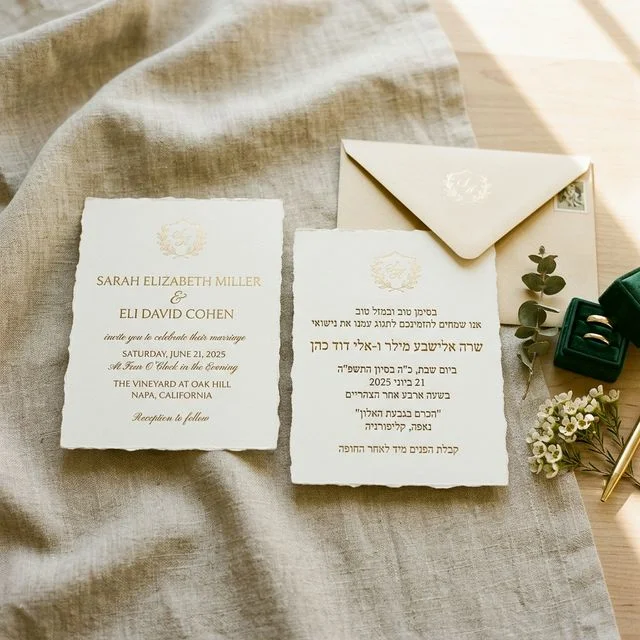
Setup: QuikRSVP has built-in Hebrew support with RTL layout, meaning the entire form — not just the labels — renders right-to-left for Hebrew-speaking guests. The language switcher appears automatically when Hebrew is enabled. "B'simcha" (בשמחה, "with joy") and "L'tzaareinu" (לצערנו, "to our regret") are the culturally standard RSVP phrases used on Israeli wedding invitations. -
23. English + French
☐ Avec plaisir! / With pleasure!
☐ Avec regret / With regret
Setup: These phrases are already the formal French RSVP standard, so the combined label works naturally for guests who read either language. Works beautifully for Franco-American guest lists or destination weddings in France, Belgium, or Quebec. Short enough for mobile: 13 chars each. -
Bonus: English + Portuguese
☐ Com prazer! / With pleasure!
☐ Com pesar / With regret
Setup: Identical in structure to the French version — these are the standard formal Portuguese RSVP phrases. Use for Brazilian or Portuguese guest lists. QuikRSVP's built-in Portuguese support generates the full form in Brazilian Portuguese, including all UI labels and confirmations. -
Bonus: English + Arabic
☐ Yusharrafuna! / We are honored to attend
☐ Maasifa / Regretfully unable to attend
Setup: QuikRSVP's Arabic support includes RTL layout and full form translation. "Yusharrafuna" (يُشرَّفون) is the formal Arabic acceptance phrase. For a more casual Middle Eastern guest list, "Mamnuunen" (ممنونون, "We are grateful") reads more naturally as an acceptance. Confirm with a native speaker for the specific dialect of your guests. -
Bonus: English + German
☐ Wir kommen gerne! / We'd love to come!
☐ Leider verhindert / Unfortunately unable
Setup: "Wir kommen gerne" and "Leider verhindert" are the standard informal German RSVP phrases used on most modern German wedding invitations. QuikRSVP's German form builder and German RSVP forms use these conventions by default.
WhatsApp-Friendly Short Responses
When you send your RSVP link via WhatsApp or SMS, guests are tapping on their phone. Long response labels get cut off on small screens. These are optimized for mobile-first delivery.
-
24. The Quick Tap
☐ Count me in!
☐ Can't make it
With emoji: Count me in! 🙌 / Can't make it 😔 (at 12 and 13 characters, these have all the room in the world) Setup: Short, clear, and impossible to misunderstand. Best for WhatsApp blasts where speed matters. -
25. The Emoji-Ready
☐ I'm there! 🎉
☐ Miss you already 😢
Setup: Emojis render perfectly in WhatsApp messages and on mobile RSVP forms. They add warmth without extra words.
How to Customize Your RSVP Response Options on a Digital Form
Having a list of creative wording only matters if you can put it on your form. Here's exactly how to do it with QuikRSVP, including the specific fields and settings involved.
Step-by-Step Setup
- Go to quikrsvp.com/builder and start a new RSVP form (no sign-in required to start; you'll be prompted to create an account when you want to save).
- Find the Response Options section. In the form settings panel, look for the Response Options section. Here you'll find the acceptance label, decline label, and the toggle to include or remove the Maybe option.
- Pick a ready-made set, or write your own. Browse response ideas opens a gallery of matched Yes/No sets grouped by tone, each previewed as the buttons your guests will actually see; one click fills all three labels. To write your own instead, paste in any label from the lists above — for example, change "Yes, I'll be there!" to "Count me in!" and "No, I can't make it" to "Can't make it." Save.
- Watch the character count. Each label field has a live counter that turns amber past 35 characters — the point where labels start wrapping onto two lines on a phone. If you'd rather eyeball it, the builder's preview panel shows a mobile view at 375px (the width of an iPhone SE).
- Add conditional custom fields for attending guests. After your response labels are set, add custom fields set to "Show when attending." These only appear after a guest selects your acceptance label. Useful fields: song request (text), meal preference (radio buttons), dietary restrictions (text), plus-one name (text). Guests who decline skip all of these automatically.
- If using bilingual labels: Either type the combined label directly (e.g., "Count me in! / ¡Ahí estamos!") or use QuikRSVP's multilingual feature to generate a full second-language form. With the multilingual feature, each guest sees the form in their own language and the response labels are translated automatically by AI — you don't need to write bilingual labels manually.
- Publish and share. Copy your form link and send it via WhatsApp, email, text, or embed it on your wedding website. You can update the response labels at any time — even after guests have started responding. Responses already submitted stay unchanged; new responses use the updated labels.
The entire setup takes less time than addressing a single paper envelope. And unlike print, you can change the wording at any point — useful if you realize after sending that your "No" label sounds guilt-trippy or your "Yes" label is wrapping on mobile. For a complete walkthrough of all builder settings, see how to create a wedding RSVP form.
Creative RSVPs for Non-Wedding Events
Weddings get all the attention, but creative RSVP wording works just as well (sometimes better) for other celebrations. Here are quick ideas by event type.
| Event | Yes Label | No Label |
|---|---|---|
| Baby Shower | Ready to shower the baby with love! | Sending snuggles from afar |
| Birthday (Kids) | Party time! We're coming! | We'll miss the fun this time |
| Birthday (Adult) | Wouldn't miss it -- let's celebrate! | Aging gracefully from home |
| Graduation Party | So proud! Count me in! | Cheering from the cheap seats |
| Corporate Event | Confirmed -- looking forward to it | Unfortunately unable to attend |
| Holiday Party | Bringing the holiday spirit! | Fa-la-la-from-afar |
| Retirement Party | Time to toast the legend! | Will raise a glass from afar |
For corporate events, keep the tone professional but warm. You can still use custom labels -- just avoid anything that might confuse attendees about whether they've actually confirmed. "Confirmed" and "Unable to attend" with a slight twist is the sweet spot.
What to Avoid: When Creative RSVPs Go Wrong
There's a specific line between charming and confusing, and a few between charming and accidentally rude. Here are the most common mistakes, with concrete examples of each.
Common Pitfalls
- Making it unclear which option means "Yes." If both options sound playful and positive, guests may genuinely hesitate. Bad example: "Yes please!" and "Maybe next time!" — the second one could be interpreted as "I'll come another time" or "I'll attend eventually." Always make the decline option unmistakably a decline. Even in a funny format, the structure should be obvious.
- Using inside jokes that only 30% of your guest list will understand. A Schitt's Creek reference lands for your close friends. Your partner's 70-year-old aunt from another country may click what she thinks is the correct button based on guessing which sounds more positive. Themed wording works best when the theme is broadly familiar. The Star Wars "This is the way" works for most age groups. A niche podcast reference does not.
- Labels too long for mobile. Test your labels by typing them into your phone's notes app and seeing if they fit on one line at normal font size. If they don't, trim them. On WhatsApp-delivered forms especially, the RSVP form renders in a webview at mobile width. A label like "YAAAAS! Wouldn't miss it for the entire world!" wraps into two lines and looks like a paragraph, not a button label. Under 40 characters is safe; under 35 is safer for WhatsApp.
- Making the "No" option guilt-inducing. "You'll absolutely ruin our day" is meant as a joke, but guests who genuinely can't attend read it differently. They're already disappointed about missing the event. A "No" option that feels emotionally loaded adds guilt to that disappointment. Keep decline labels light and warm: "Can't make it," "Will be there in spirit," "Sending love from afar." The goal is that a guest who has to decline feels fine about it, not bad.
- Wordplay on a multilingual guest list. Plain, warm labels translate cleanly — puns quietly flatten. When we ran these labels through our own translation, the meaning always came through, but a matched pair like "I'm in / I'm out" arrived in Arabic as "I'm here / I won't attend": correct, and no longer a joke. So if a good share of your guests read another language, pick a set that works on warmth rather than cleverness. Then use QuikRSVP's multilingual form feature to deliver the whole form in each language automatically — the response labels are translated along with it, so you don't need to write them in every language yourself.
Don't Forget the Essentials
No matter how creative your response labels are, make sure your form still collects the information you actually need to plan the event:
- Guest Names & Plus-Ones: So you have an accurate headcount for catering, seating, and favors.
- Dietary Restrictions: Essential for catering planning. Use a conditional custom field that only appears when guests accept.
- Meal Choice: If you're offering options (chicken, fish, vegetarian), add a dropdown or radio-button field.
- Song Requests: An optional but popular field that gets guests invested in the party before it even starts.
- Special Needs: Accessibility requirements, high chair requests, or anything else that helps you prepare.
With QuikRSVP, you can add unlimited custom fields -- text boxes, dropdowns, radio buttons, checkboxes, and even display-only messages -- directly in your form builder. Set each field to show always, only when attending, or only when declining. Then use the built-in dashboard to view, filter, and export all responses in one place. See the complete RSVP wording guide for more on how to phrase every part of your invitation.
Which Response Style Gets the Most Replies?
Creative labels are fun, but if you need a strong response rate — especially for events where catering or venue capacity depends on a firm headcount — label choice matters. Here's what actually moves the needle.
What Works Best for Conversion
- Short and unambiguous beats clever. Labels like "Count me in!" and "Can't make it" outperform long, witty labels when response speed matters. Guests on their phone make a split-second decision — the clearer the options, the faster they tap. The sweet spot is a label that's friendly and fast to read, not one that requires a moment to parse.
- Remove Maybe if you need a real headcount. The Maybe option consistently deflates confirmed attendance numbers. Guests who aren't sure tend to click Maybe and never follow up. If you have a caterer waiting on final numbers, turn off Maybe entirely in your Response Options settings — QuikRSVP lets you do this with a single toggle. A firm deadline in your form description ("Please respond by [date]") handles the "I'm not sure yet" cases better than a third option.
- Positive framing on the decline label reduces friction. When guests who can't attend see a decline label like "Will celebrate from afar" or "Sending love your way," they feel comfortable clicking it. A guilt-inducing or ambiguous decline label causes hesitation — guests put it off, and you end up chasing non-responders. The best decline labels are warm, brief, and clearly final.
- Delivery method matters more than label wording. A plain "Yes / No" RSVP sent via WhatsApp gets a faster response than the wittiest label set sent by email. If maximizing response rate is the priority, optimize delivery first: WhatsApp direct message, then SMS, then email. Creative labels are a nice layer on top — they don't compensate for a slow delivery channel.
- Show the deadline prominently. The single biggest driver of on-time responses is a visible RSVP deadline on the form itself. QuikRSVP displays the deadline prominently above the response buttons — guests see it before they even make a choice. Pair a clear deadline with a concise, friendly acceptance label and you'll get most responses within the first 48 hours of sending.
The bottom line: use creative labels freely, but keep them short, keep the Yes/No distinction unmistakable, and consider removing Maybe if headcount accuracy is important. Creative and conversion-friendly are not mutually exclusive — labels like "Count me in! 🎉" and "Can't make it 😢" are both fun and immediately clear.
Frequently Asked Questions
The exception: casual events like birthday parties or house parties where a rough headcount is sufficient. For those, Maybe is fine to include.
Two things to watch. First, the emoji spends the same length budget as the words — it counts toward the 35-40 character guidance and renders roughly as wide as two characters, so a label already at the limit needs trimming before it can take one. Second, elegant and formal wording is better left emoji-free on purpose; "Accepts with pleasure 🎉" reads as a slip rather than a flourish. One emoji, at the end of the label, is the pattern that holds up. Test on your own phone before publishing, since the same emoji is drawn differently on iOS and Android.
- "Count me in!" / "Can't make it"
- "Abso-freaking-lutely!" / "Sad face, can't make it"
- "Will be there with bells on" / "Will be there in spirit (no bells)"
Avoid references that only a fraction of your guest list will recognize. A broadly accessible phrase ("You had me at 'You're invited'") works; a niche fandom reference does not.
The bigger drivers of response rate are how the form is delivered (WhatsApp outperforms email by a large margin), whether a clear RSVP deadline is visible on the form, and whether the form is easy to complete on mobile. Focus on those first, then customize your labels to match the event's personality.
Ready to Create Your Unique RSVP?
Build a stunning digital RSVP form with custom response labels, conditional fields, and multilingual support. Free to start, no coding required.
Create Free RSVP